Overview
Within the iDetail Web Service the Builder module has a Manage Content feature. This feature allows for the uploading of files to create Content Items for download.
Content Item
A Content Item is a collection of one or more files. Content Items are available in the following types:
Single File - PowerPoint, PDF, and QuickTime Movie files.
Slide deck - a sequence of slides (formerly called a deck)
Podcast - Audio File and cover art
External Link - web link or app link
As an organization member with permission to Manage Content you have access to create these different types of Content Items and each type will have upload methods.
Single File Upload
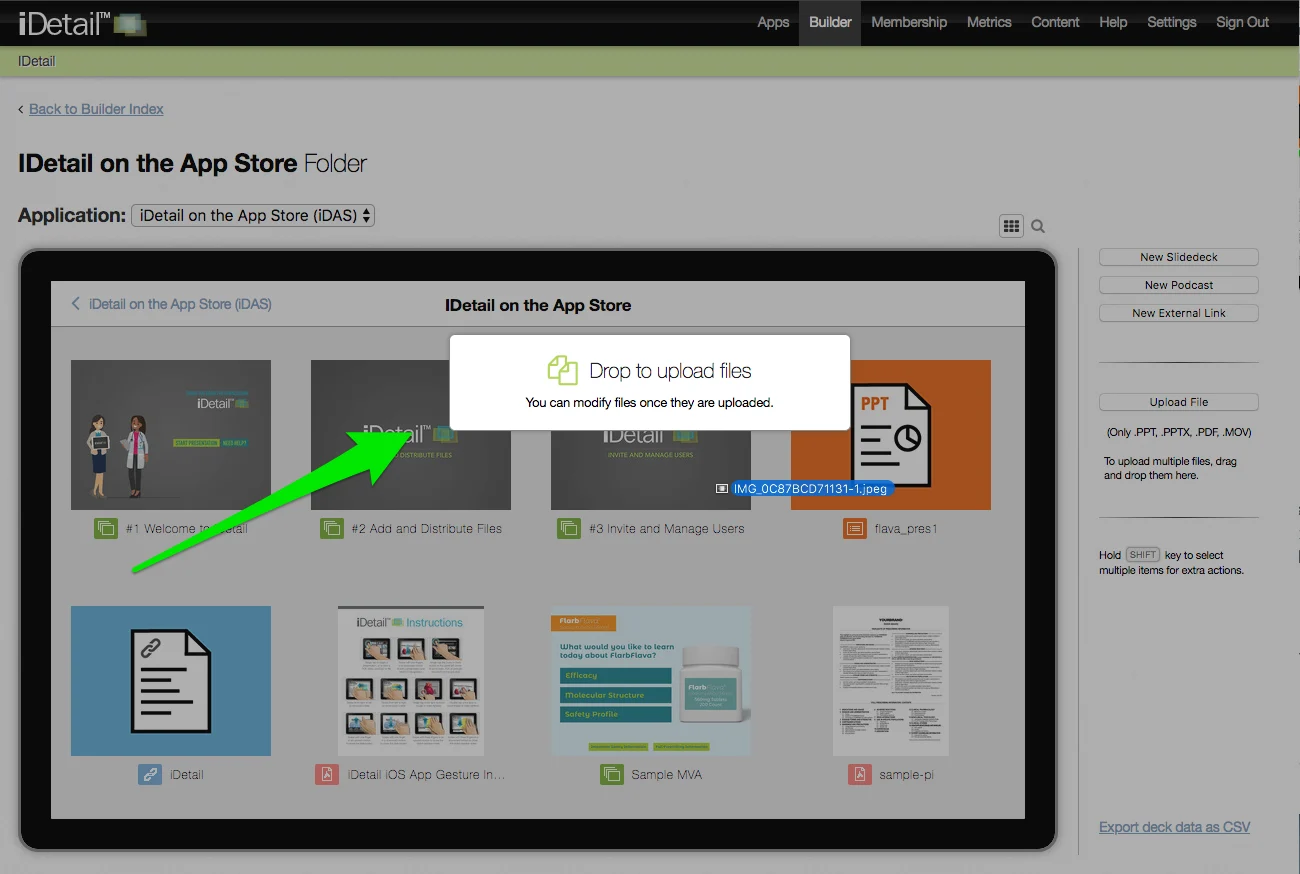
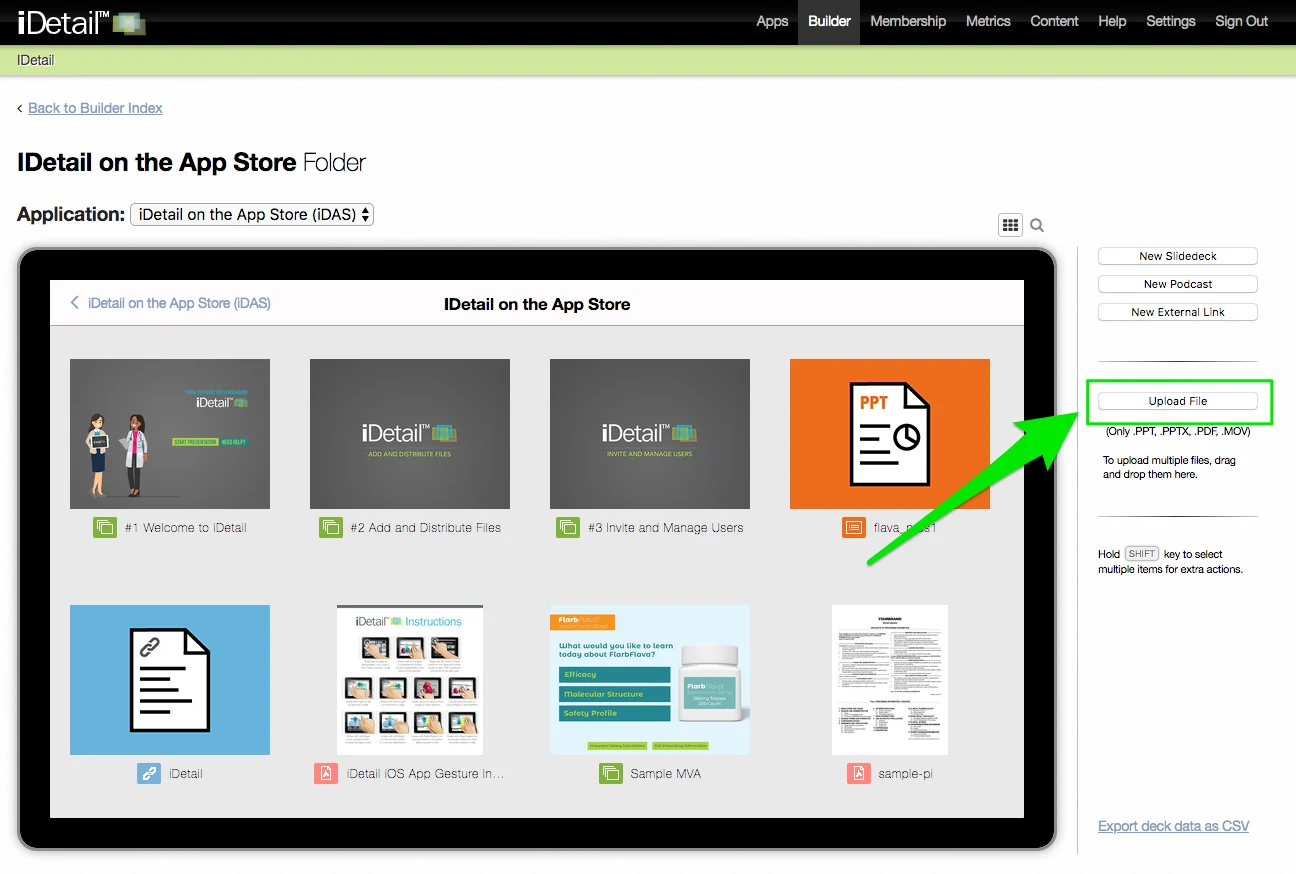
There are two methods for uploading a single file, drag and drop or the Upload button.
Steps to upload Content Items:
Open a web browser and login the iDetail
Open iDetail Web Service - https://organization.idetailapp.com
Select the Builder from the top navigation
Select the Manage Content link
If you have more than one iPad App in your organization - select from the dropdown the App of interest to update
Drag and drop files of interest from your desktop computer to your internet browser window and drop over the grid view, or tap the Upload File button.