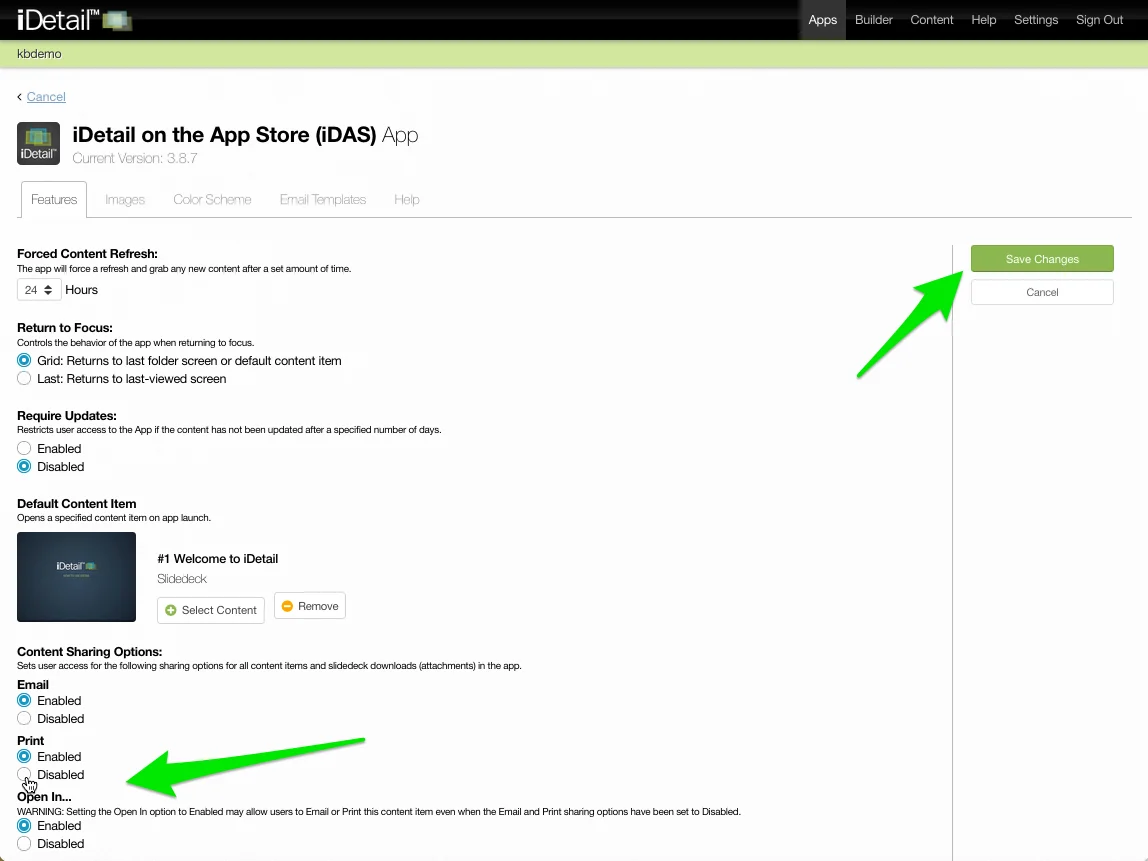
The Content Sharing Options defaults are set on the Apps page of the iDetail Web Service.
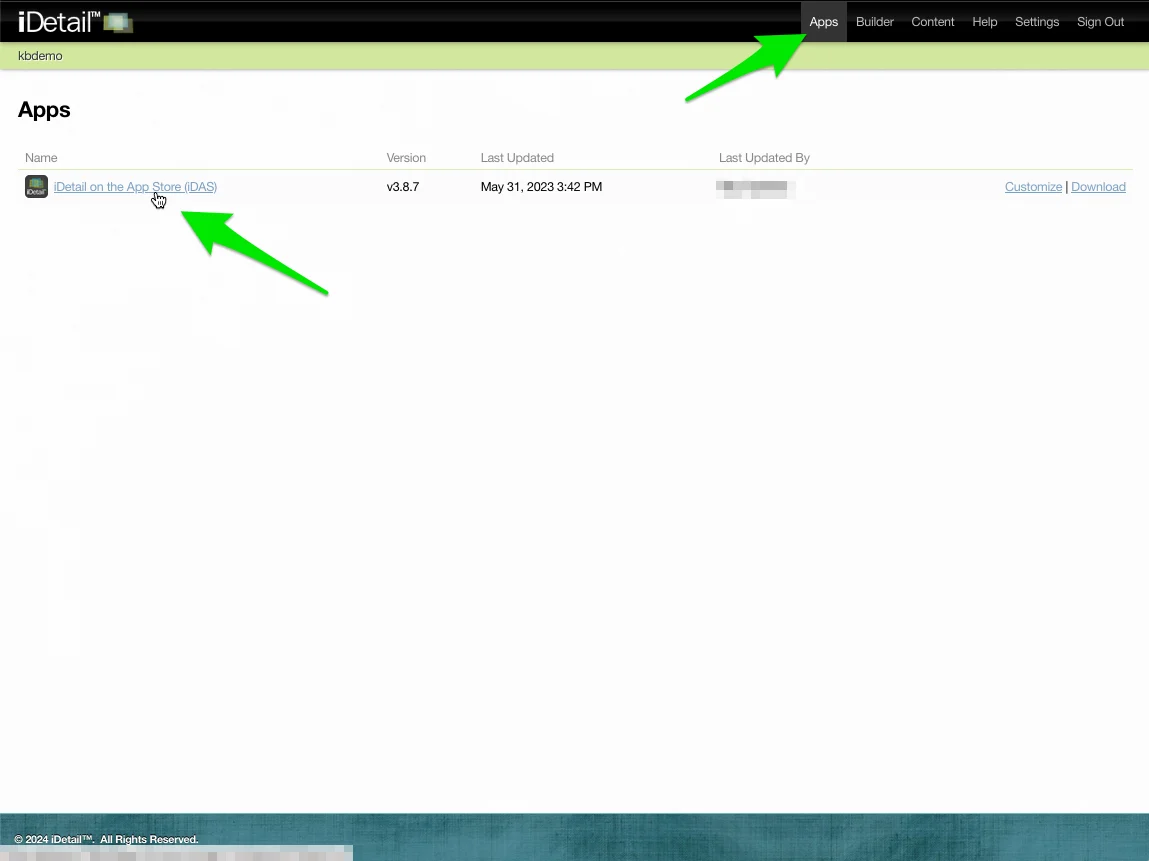
On the iDetail App Web Service page, click Apps on the menu at the top of the page, then click on the app you are interested in under the Name column
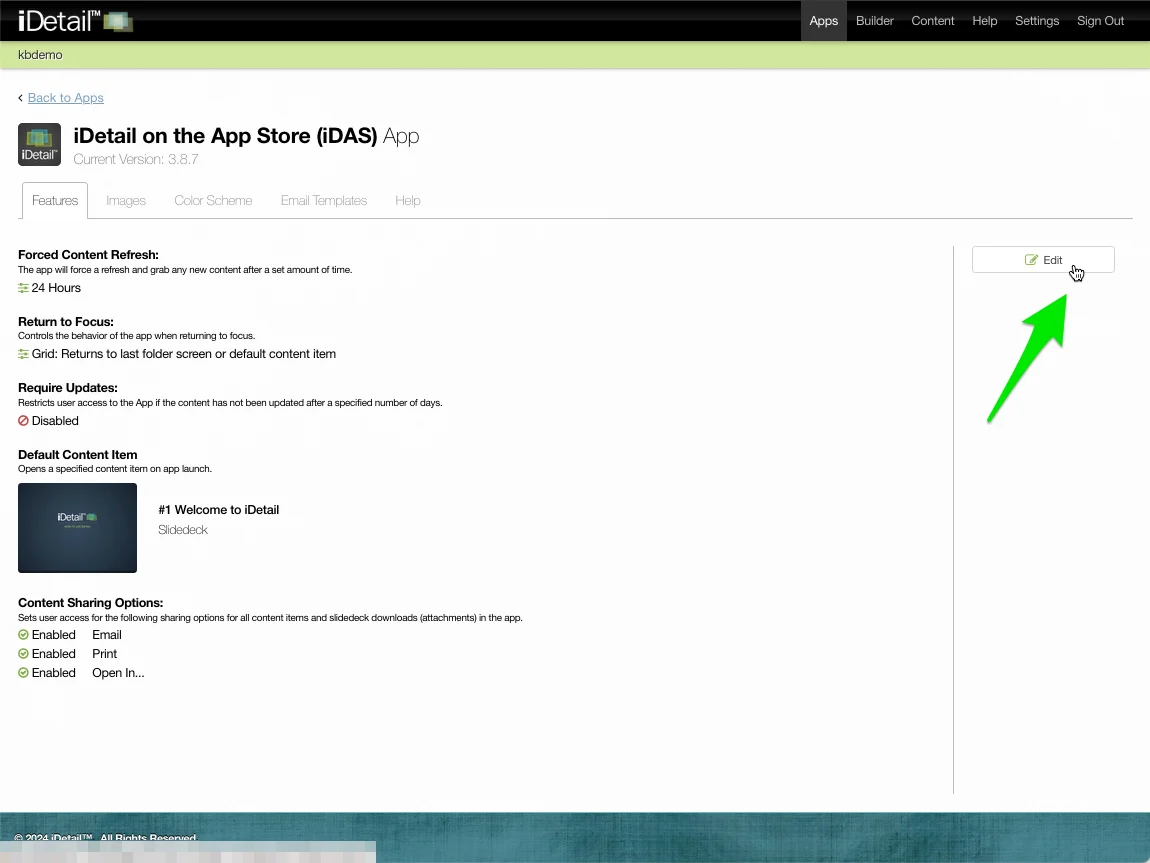
Click the Edit button
Select the content sharing options default settings at the bottom of the page you wish to change. Click Save Changes to save your work.