

When a Group is deleted, the individual Members that were in the Group still remain in the organization, but they lose permission to view any content items that were assigned to the Group.
How to delete a Group
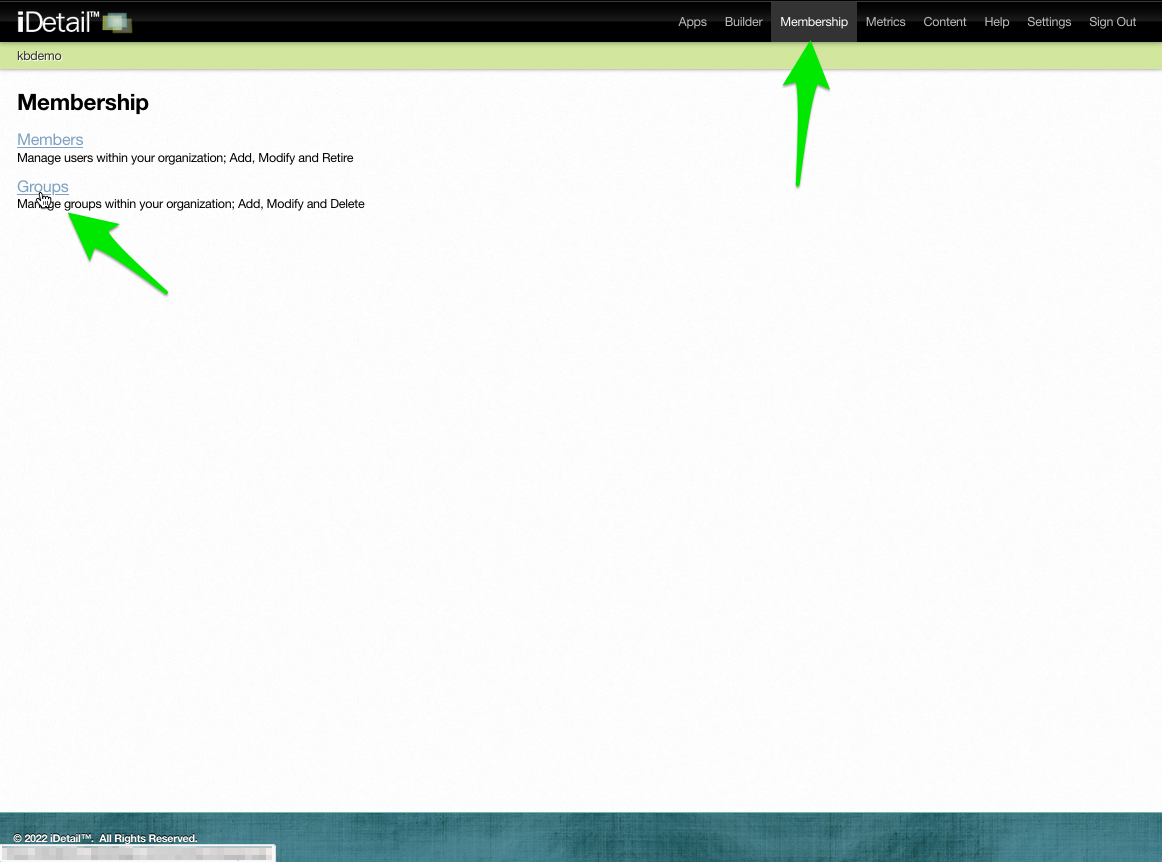
Click Membership in the navigation bar then click the Groups link on the Membership page
001
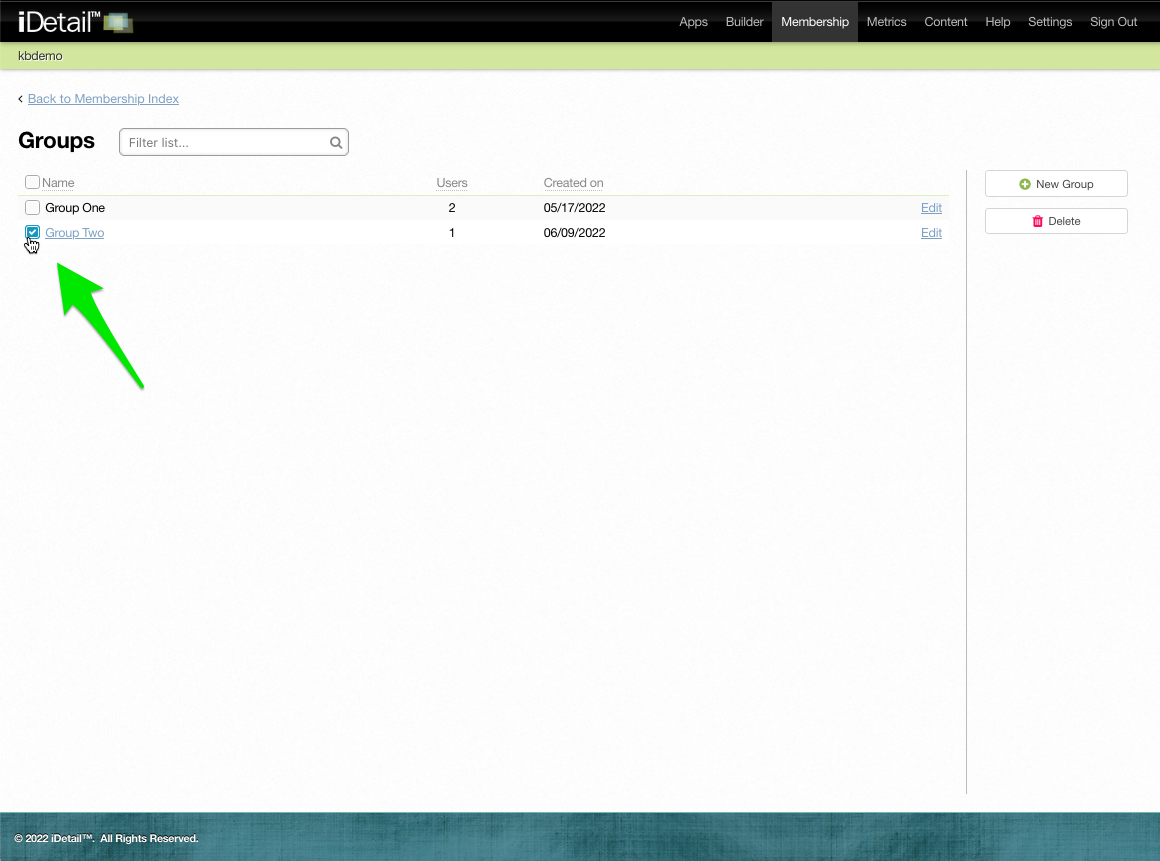
Check the Group you want to delete
002
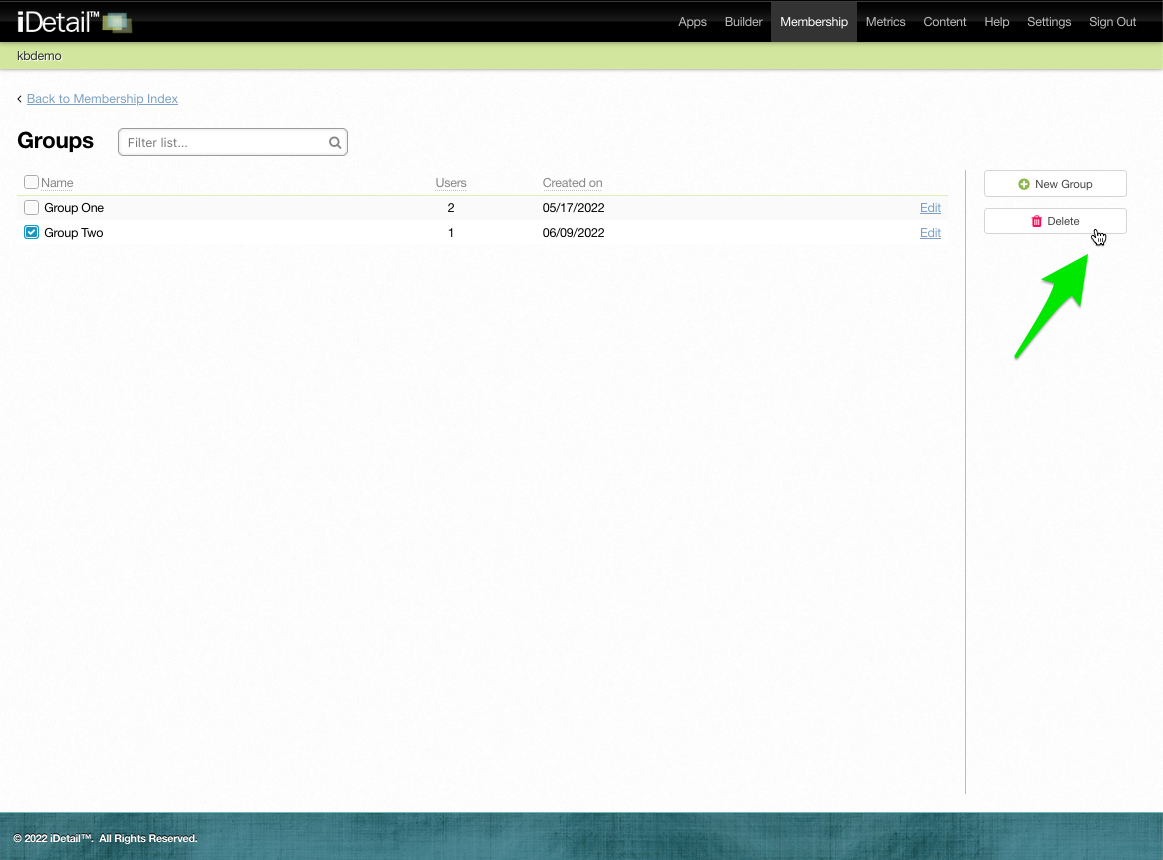
Click the Delete button
003
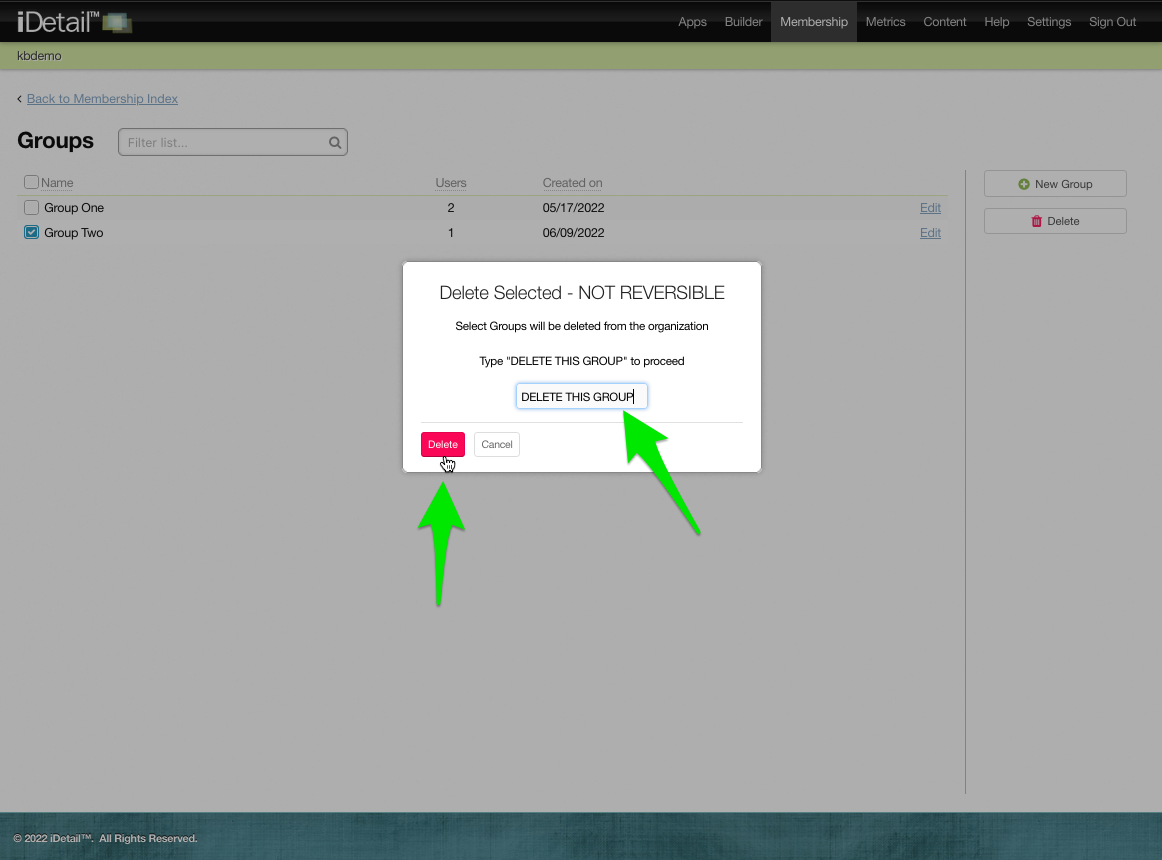
A warning dialog box appears. Type “DELETE THIS GROUP” in the text field, then click the Delete button.
004
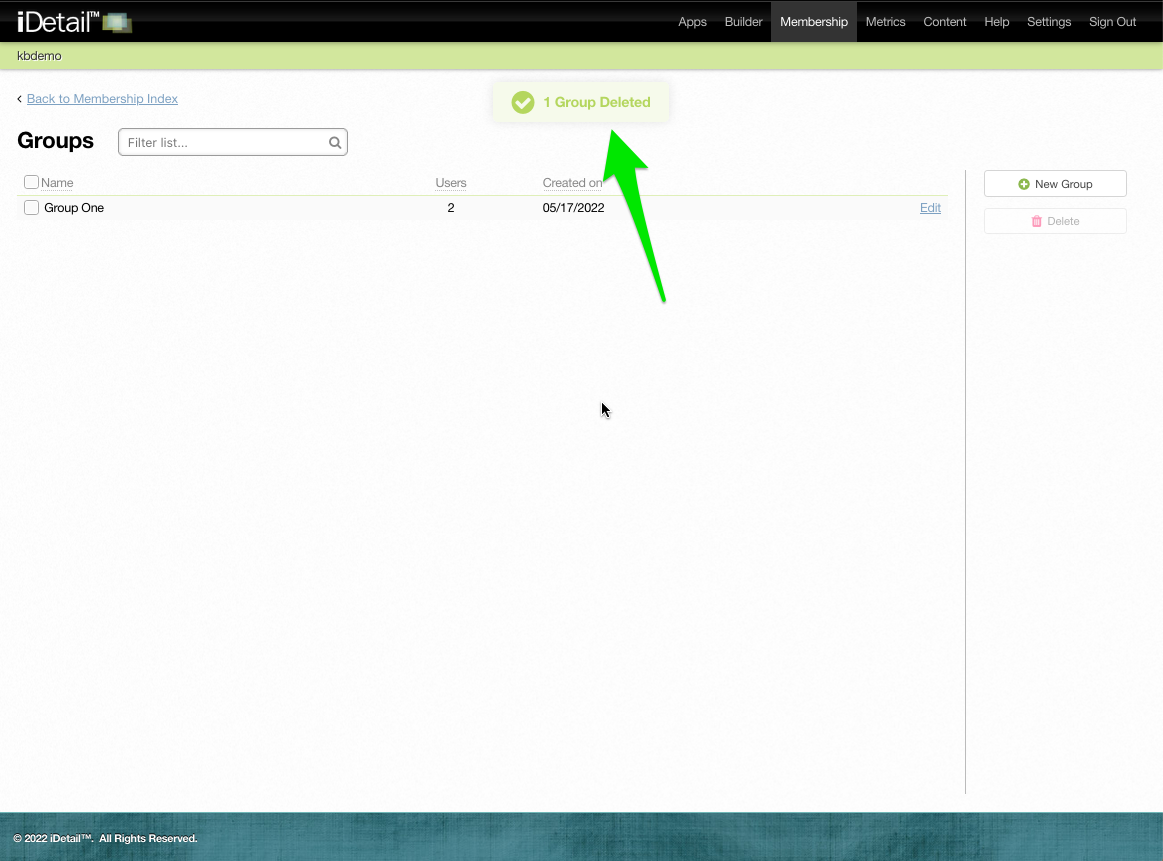
A confirmation message displays at the top of the screen
005