

A Group is a collection or subset of existing Members you can create within your organization.
You can use Groups to manage how you assign permission to view content within your organization.
A Group can reflect the divisions within your organization, such as a business unit, regional division, product line, or sales group. Or a Group could reflect a set of Members from different parts of the organization who have a common interest in a particular set of content.
After you’ve created a Group, you can assign permission to view a content item once to the Group, instead of assigning permission to each member individually.
How to create a Group
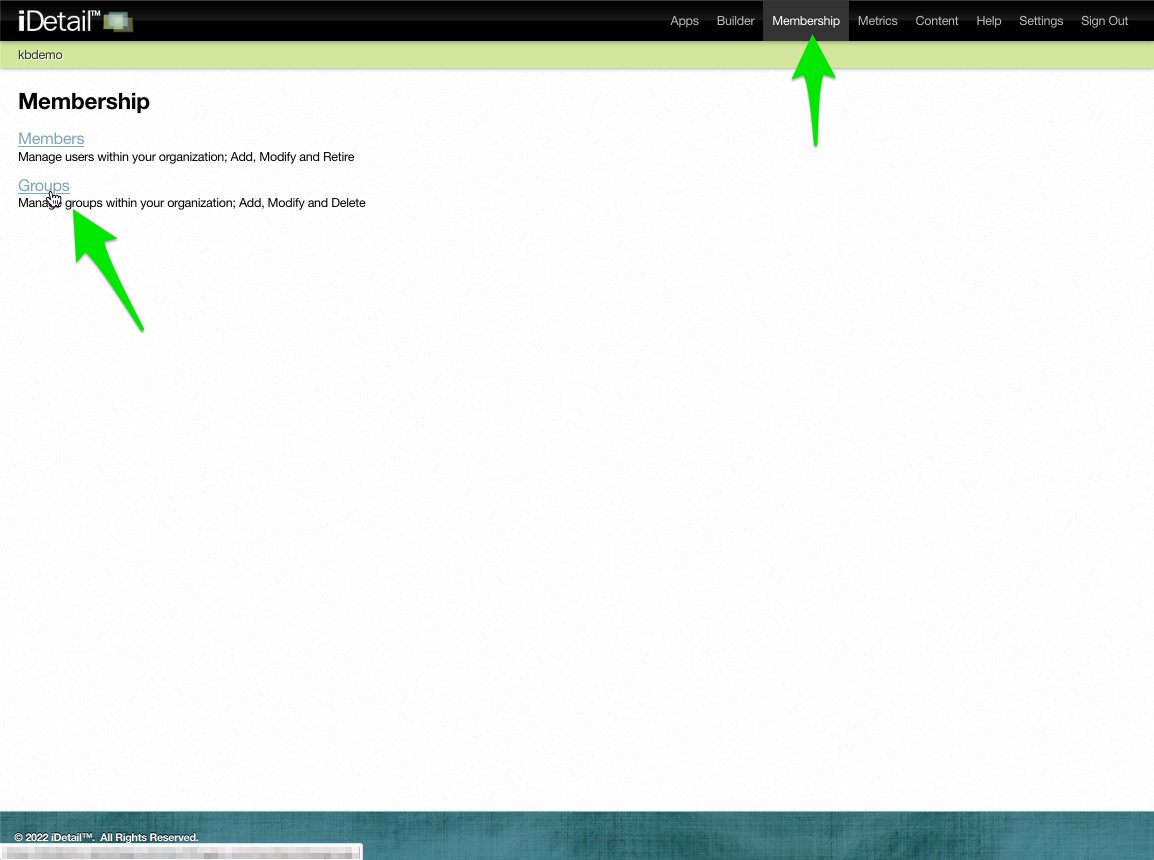
Click Membership in the navigation bar then click the Groups link on the Membership page
001
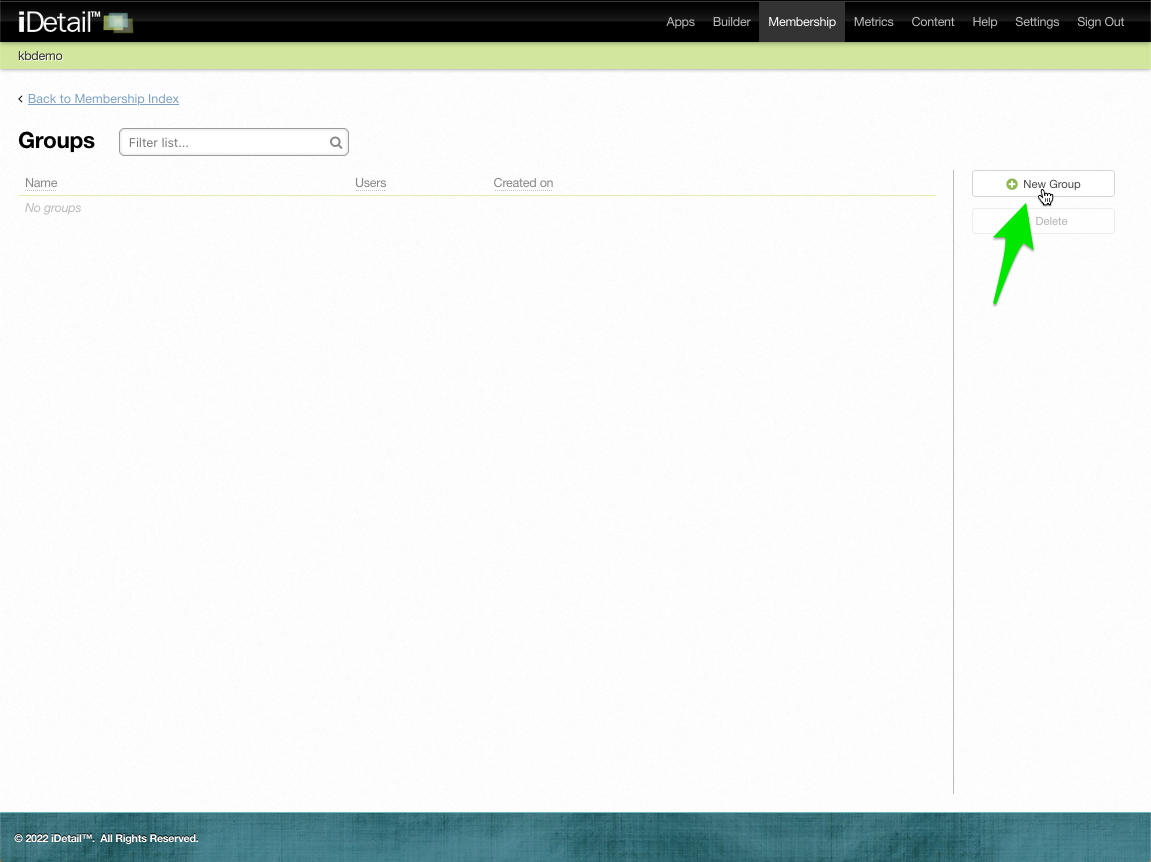
Click the New Group button on the Groups page
003
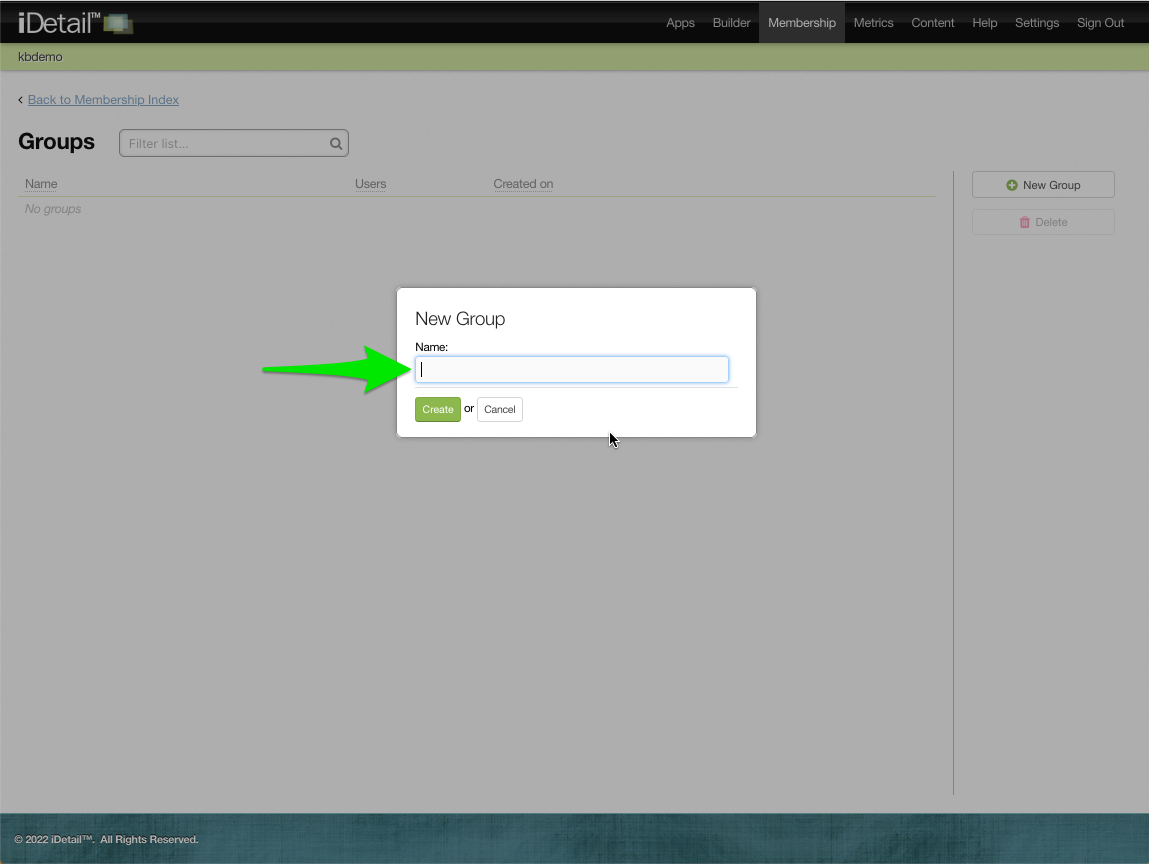
The New Group dialog box displays
004
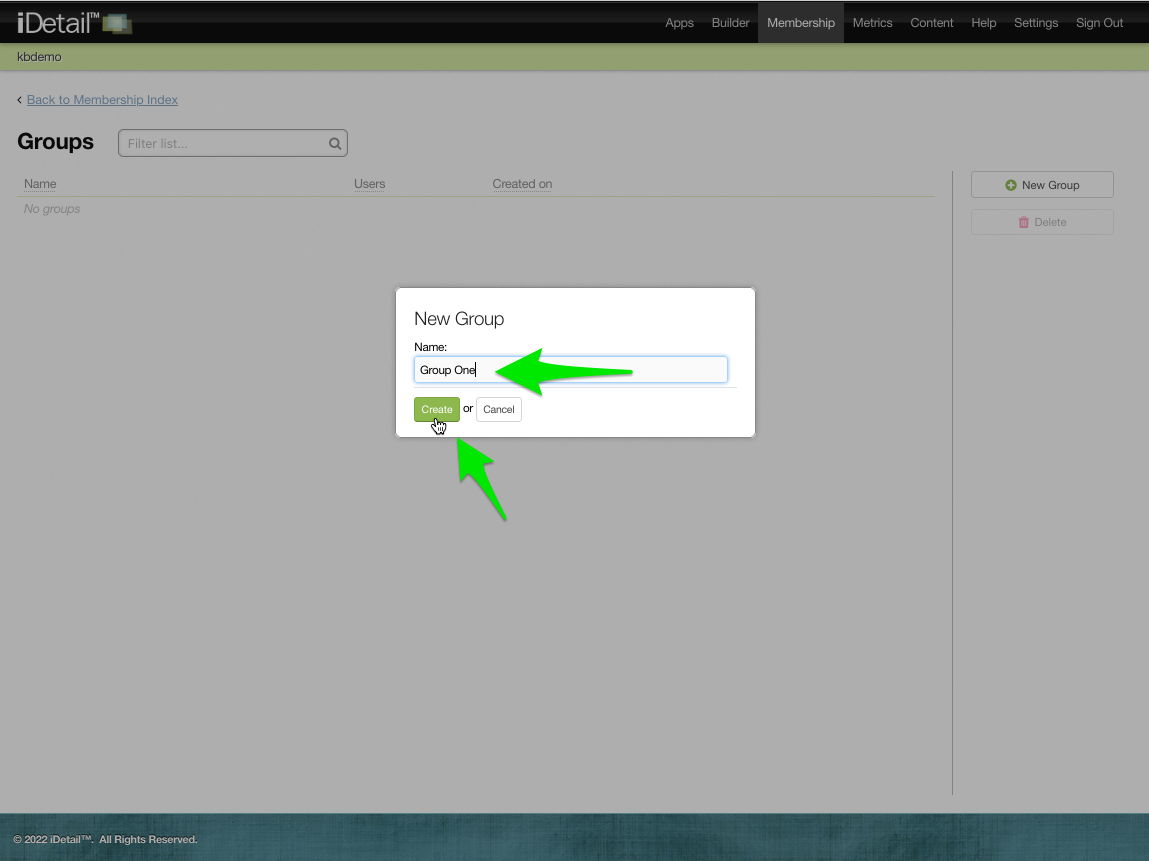
Type in the group name and click the Create button
006
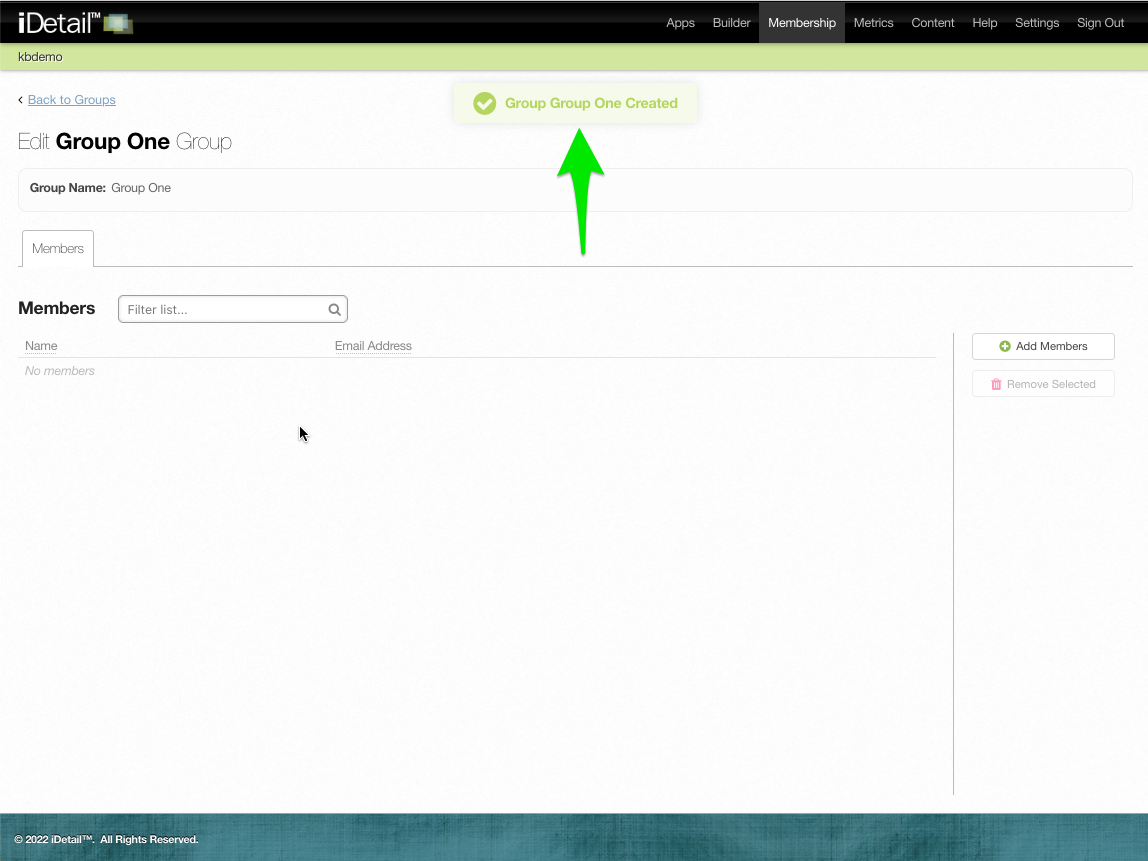
A confirmation message displays at the top of the screen
007