

You can remove Members from a Group to update it as projects and assignments in the organization change over time. A Member who has been removed will no longer have permission to view content that has been assigned to the Group.
You can update a Group by removing Members at any time as necessary.
How to remove a Member from a Group
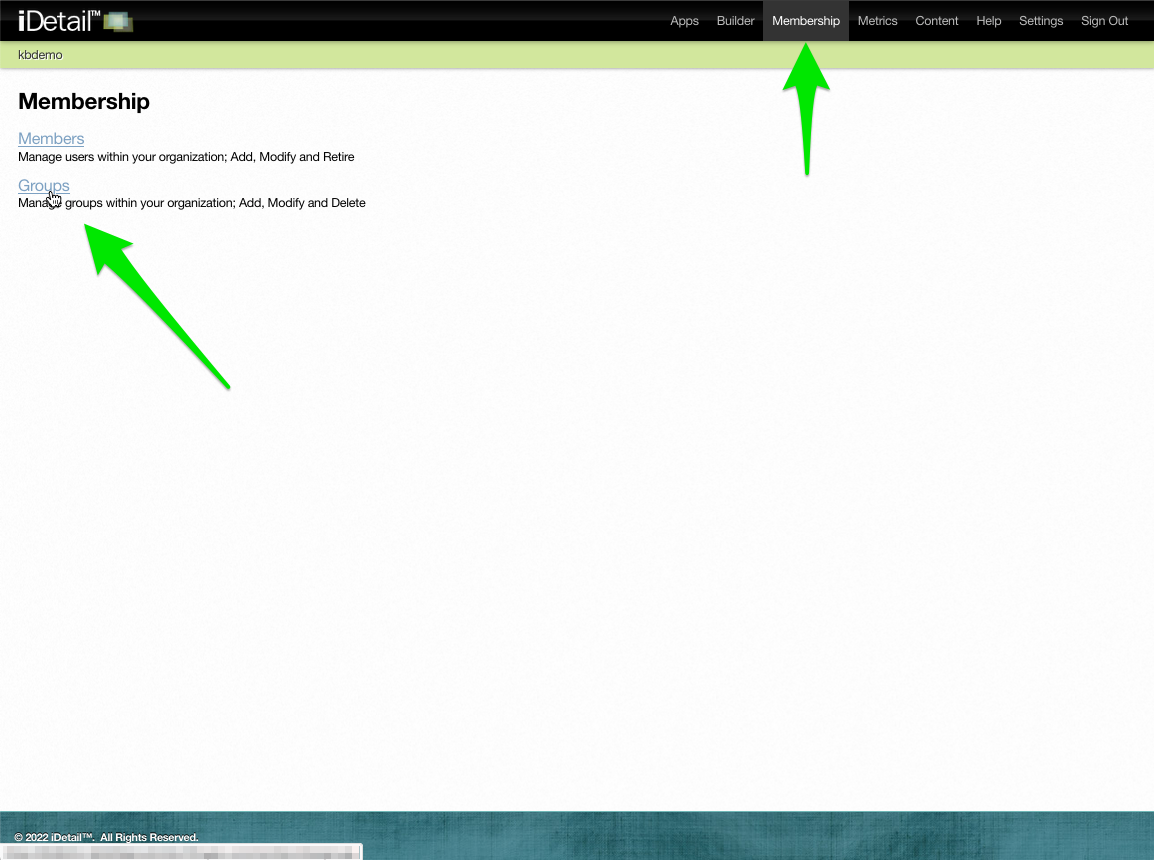
Click the Groups link on the Membership menu page
001
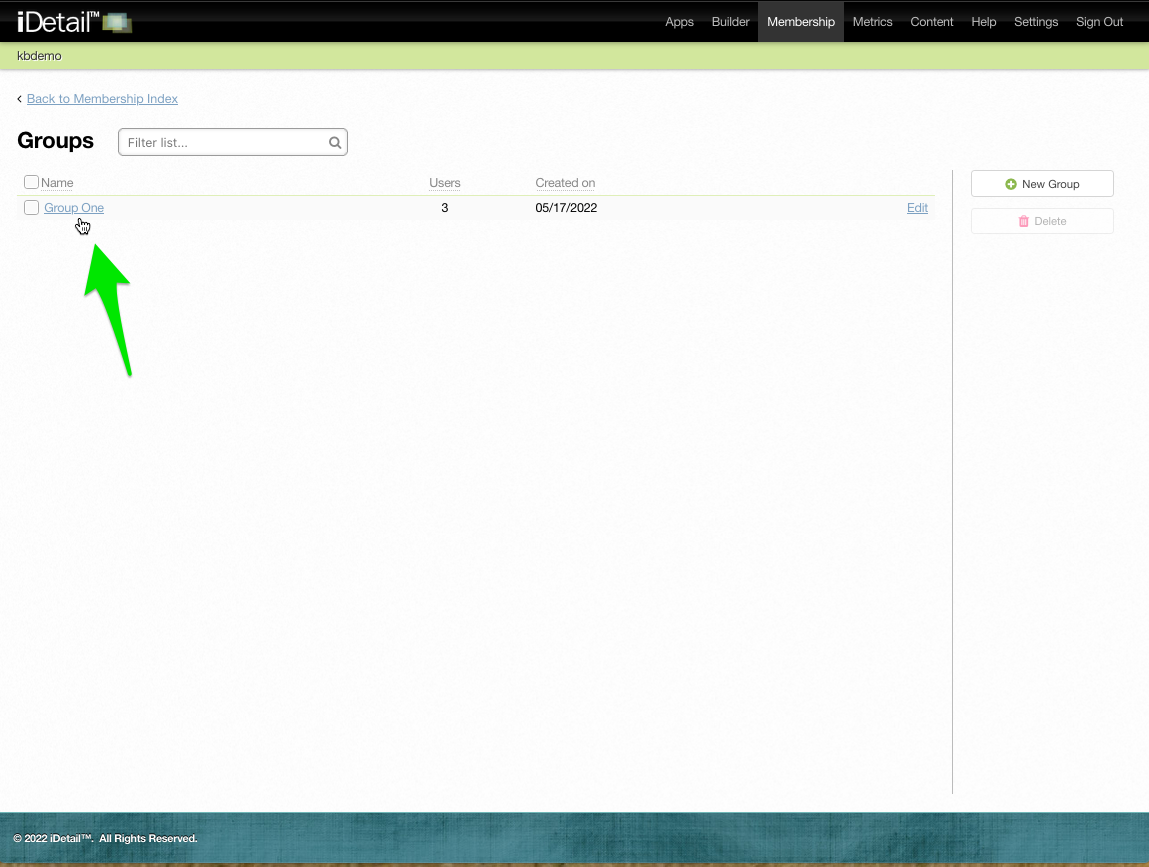
Click the Group you want to edit
002
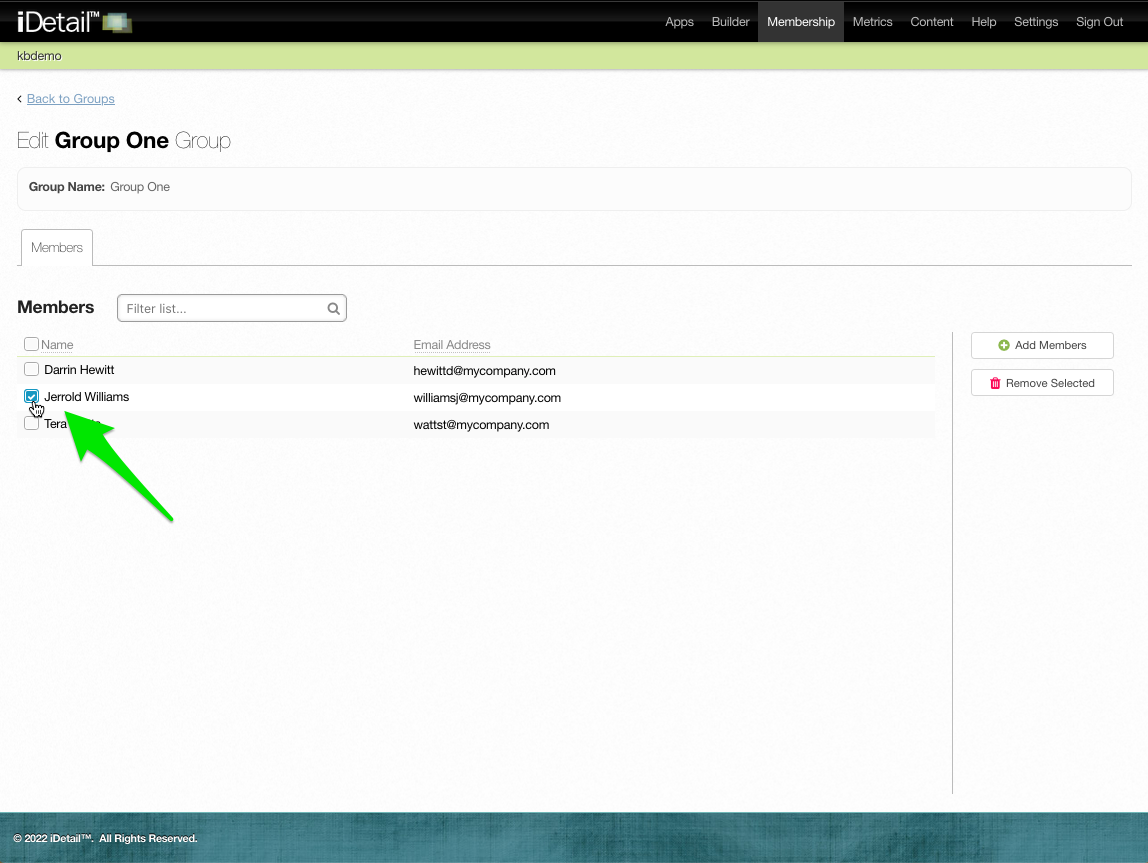
Click the checkbox to select the Member or Members you want to remove
003
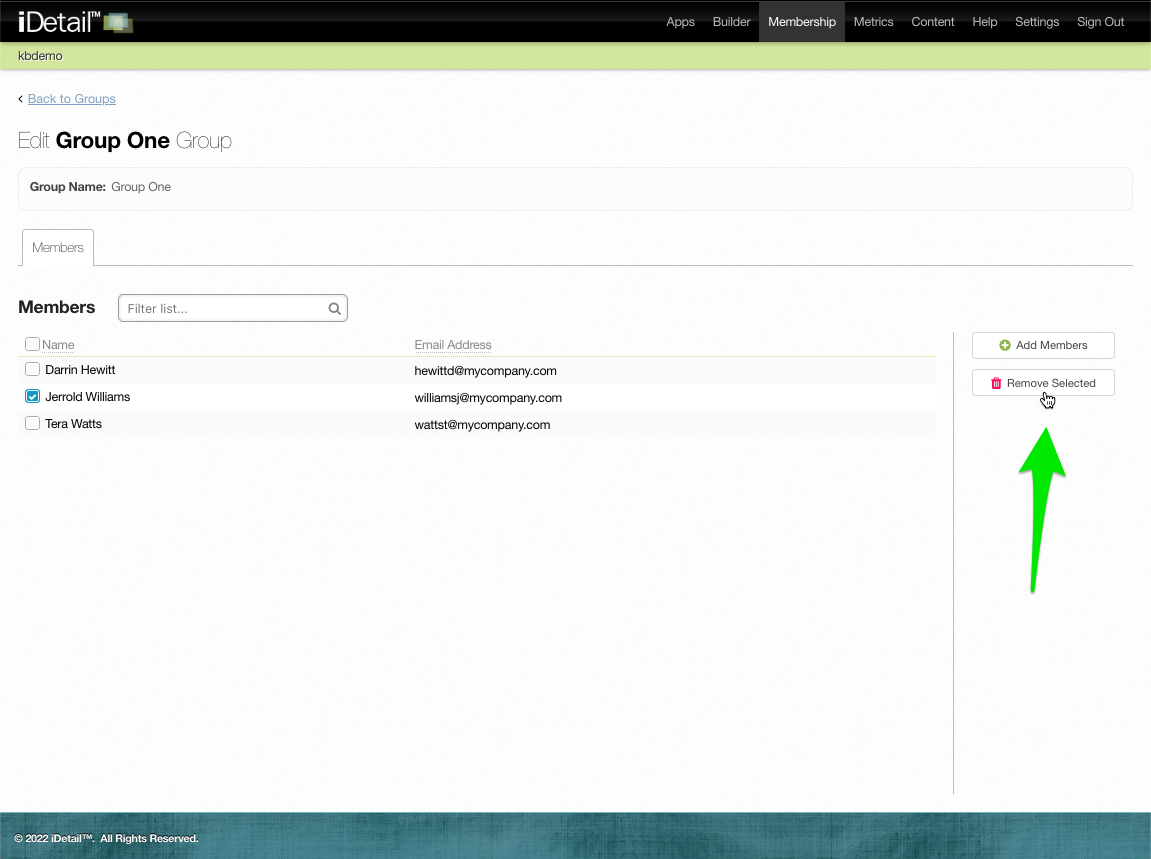
Click the Remove Selected button
004
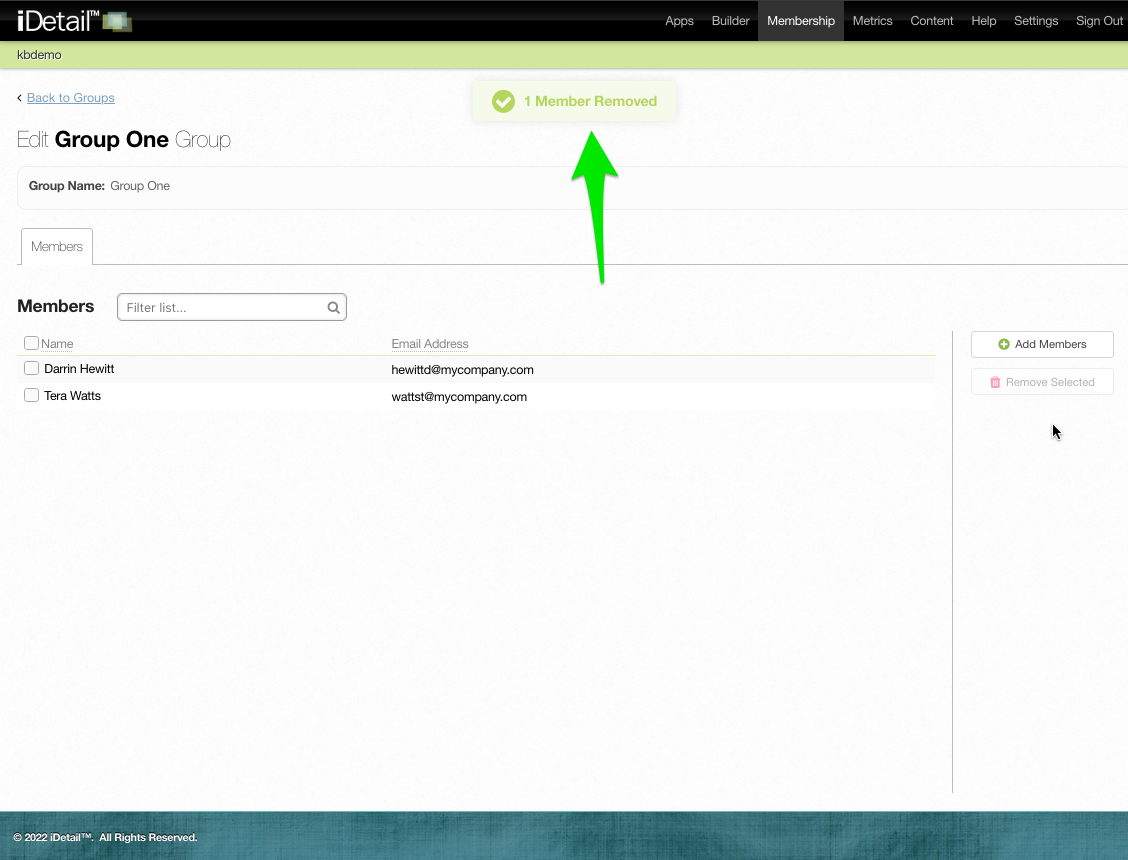
A confirmation message appears at the top of the page
005