

Run the Clean Up process
Within the iDetail app, there is a “Clean Up” feature that will replace any missing content item files when activated. This feature is useful for the scenario where a download issue occurs, resulting in missing files. The iDetail iOS App will delete the incomplete content items, allowing for the content item to be re-downloaded.
Steps to run the Clean Up process:
Open the iDetail app
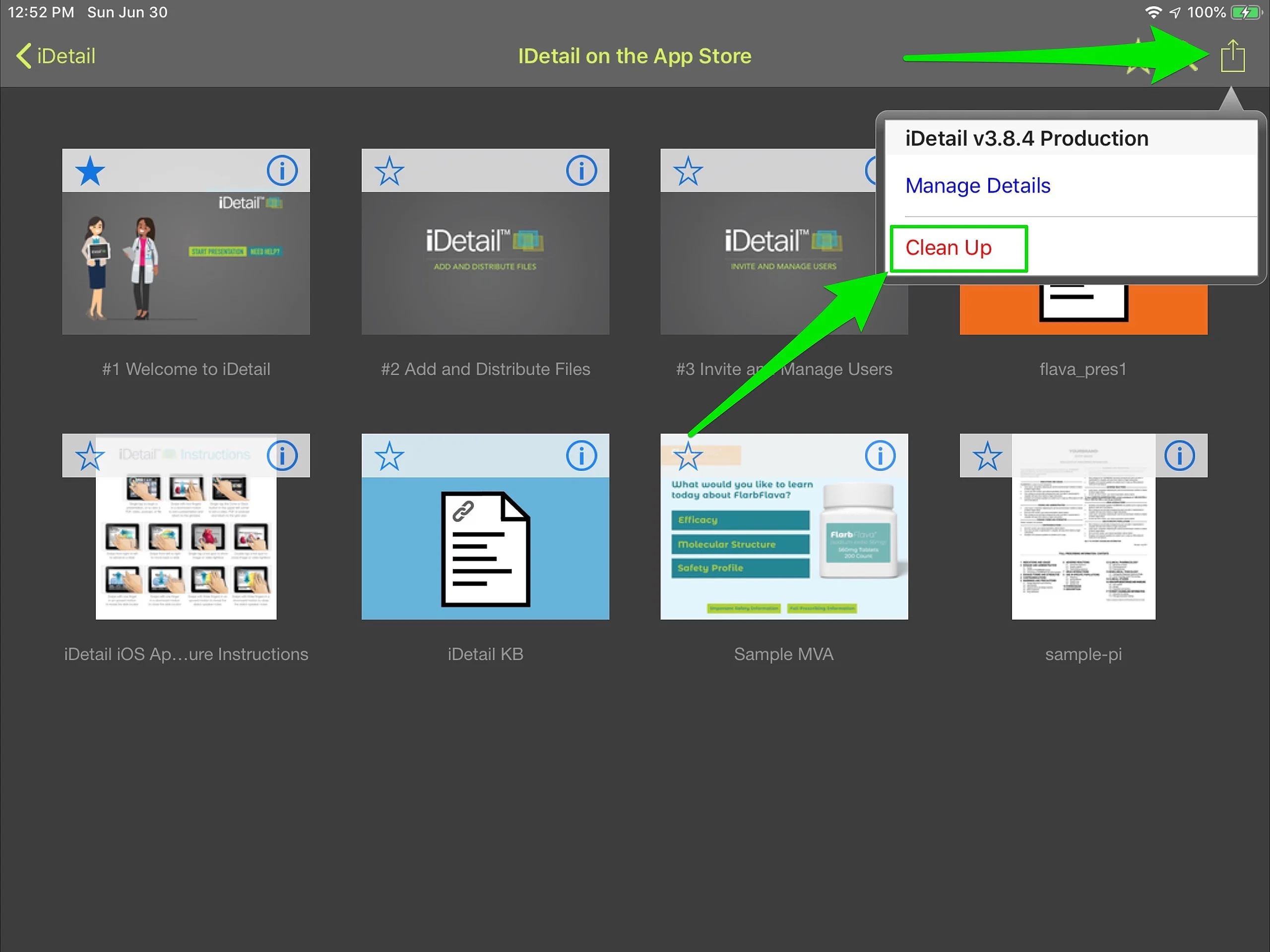
While In the Grid View, tap the Action button in the top right corner of the screen
Select the red Clean Up link
Tap [Run Process] button
Popup will appear to show progress
If any content items are missing assets, the content item will be deleted and the popup message will read “Decks with missing assets were discovered and deleted. Refresh and download these decks at any time.” Follow the steps to update content (see related topics)
If all content items are complete and not missing assets, the popup message will read “No Decks were discovered with missing assets” Click Ok to exit the popup and return to the Grid View