Set Forced Content Refresh time interval
Many features of the iDetail App can be set remotely from the Web Service. The Forced Content Refresh option sets the time interval for when the iDetail iOS App will query for new or updated content items that are available for download. This feature is always on by default, but the setting can be modified from the iDetail Web Service.
Steps to set Forced Content Refresh time interval
Open iDetail Web Service: https://launch.idetailapp.com
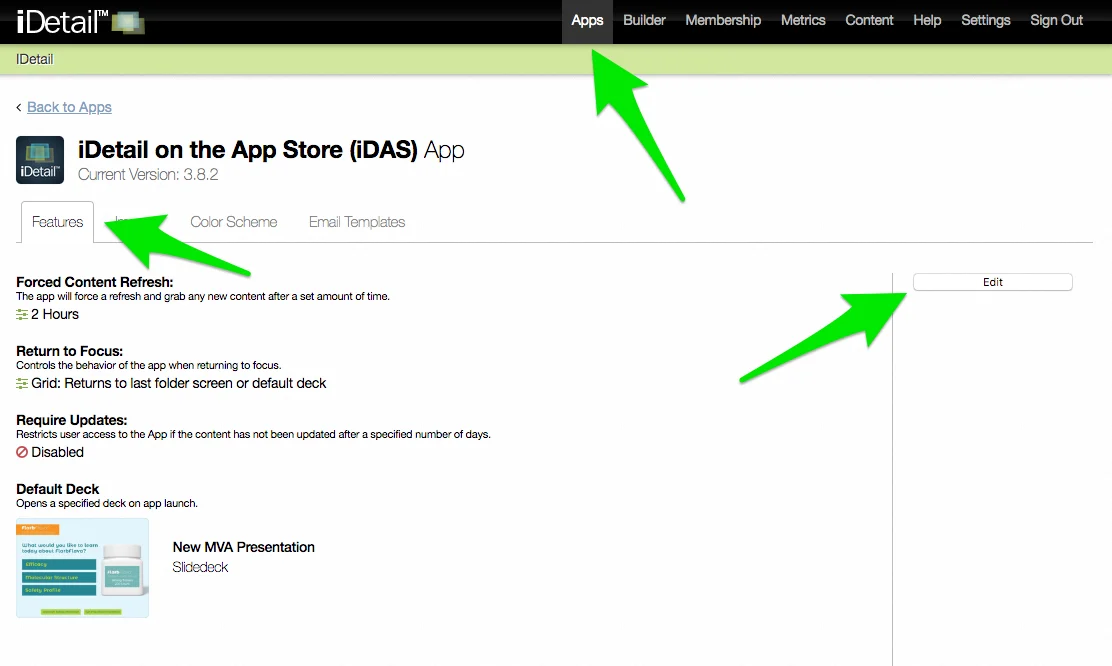
Select Apps from the top navigation
Select an app from the list
In the Features tab, select the Edit button in the right channel
Click on the dropdown under the “Forced Content Refresh”
The dropdown will display the following options in hours: 2, 4, 8, 12, 24
Select one of the options by clicking the desired number
Select the Save Changes button in the right channel to save your edits
Effect on the iDetail App
When new content items are available for download the Content Update button will display in the top right of the iDetail App.