

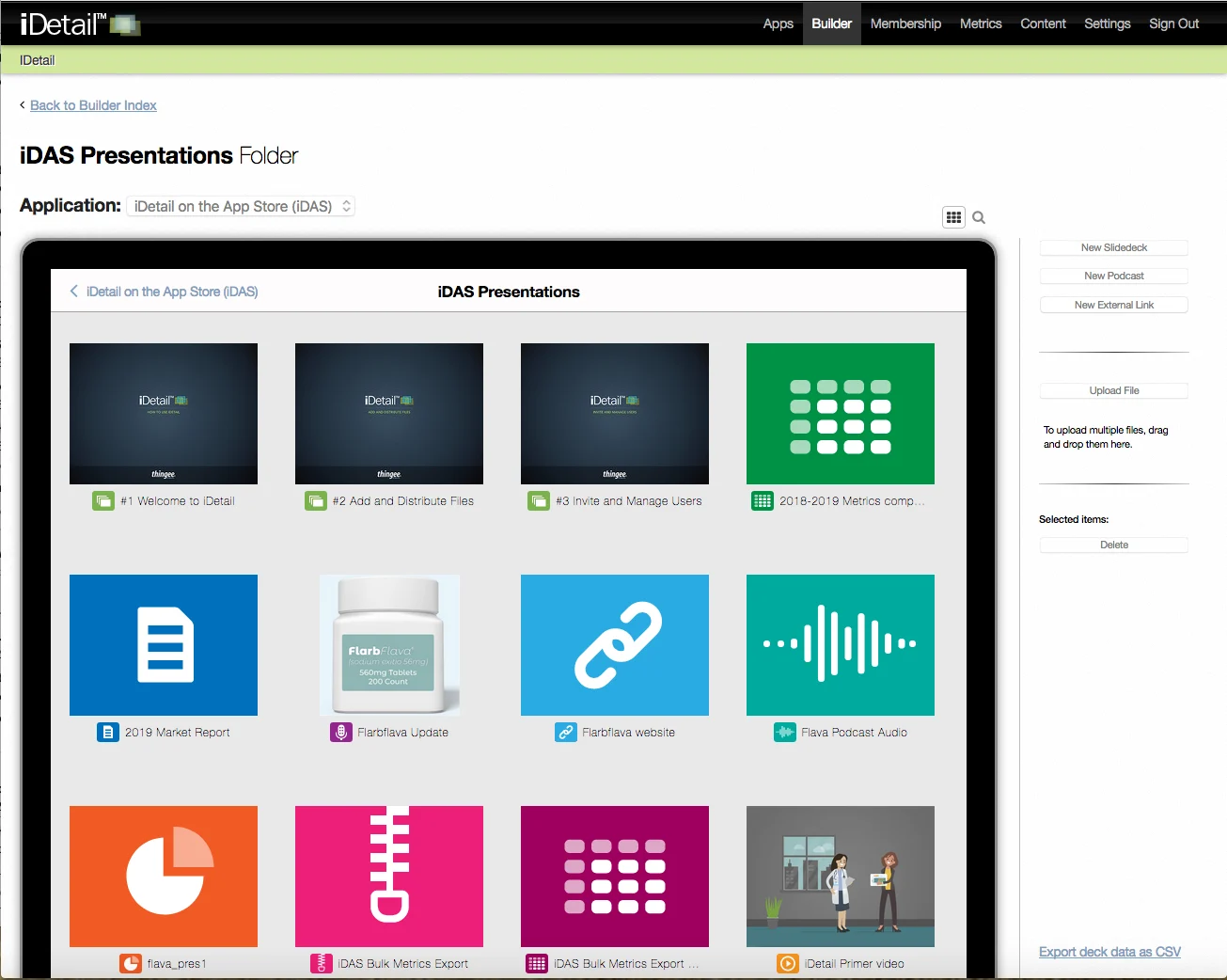
A quick way to identify the file type of a content item in Builder is to look for the icon associated with the file. In the Builder Grid View these icons appear to the left of the title under the content item thumbnail.
In the Builder Search for items view these icons appear at the beginning of a line entry.
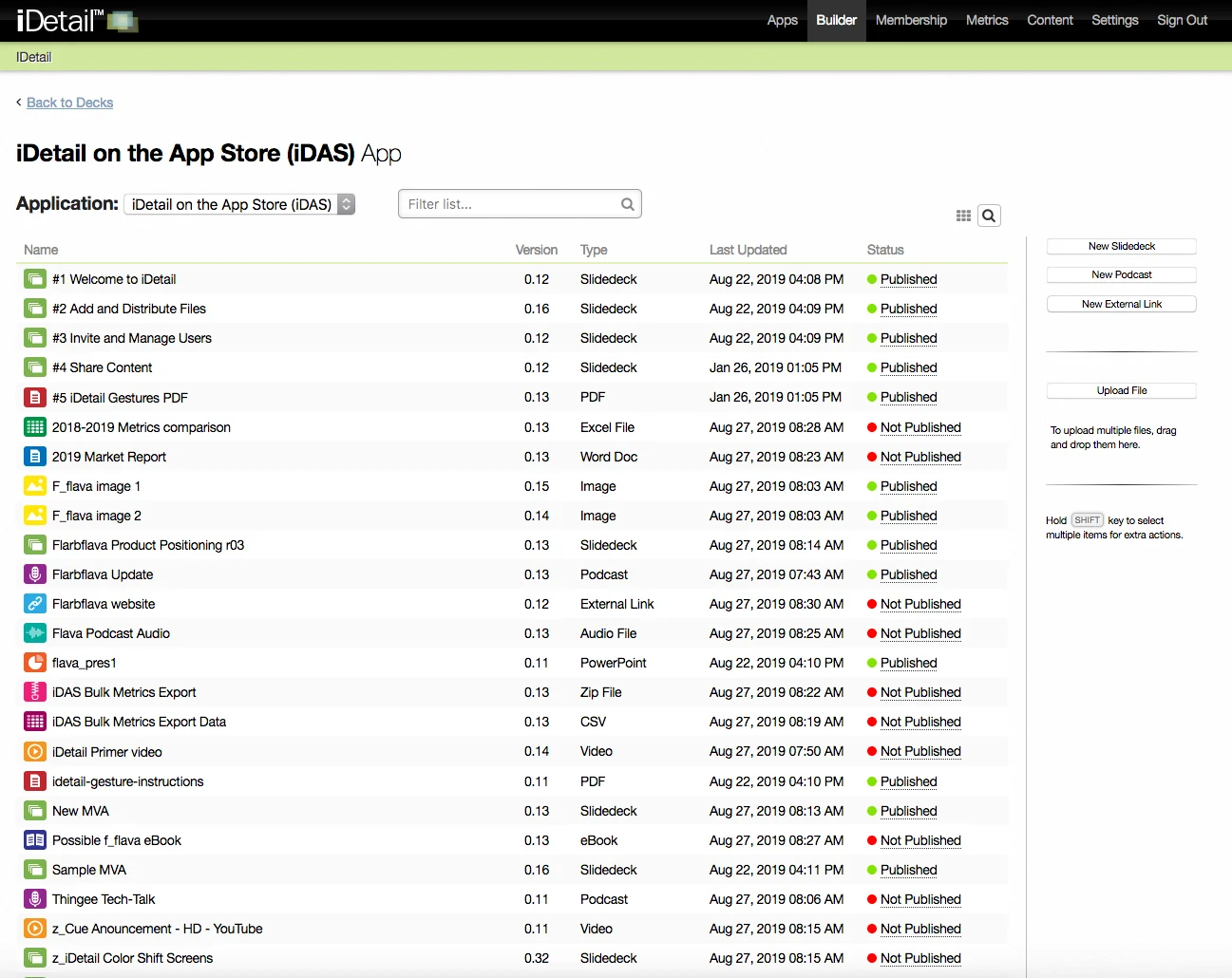
A list of icons with their common file names appears below:
Icon | Common File Name |
| Slidedeck |
| Podcast |
| External Link |
| Audio File |
| CSV File |
| eBook |
| File (Generic, Unknown) |
| Image File |
| Keynote |
| Excel File |
| PowerPoint |
| Word Doc |
| |
| Text File |
| Video |
| ZIP File |


