

Retiring a Member effectively removes them from the organization. Their data are not deleted, but their permission to view all content items is revoked, and they are removed from any Groups they have been added to.
Any Metrics data generated by the Member’s sessions remain in the organization’s Metrics logs.
How to retire a Member
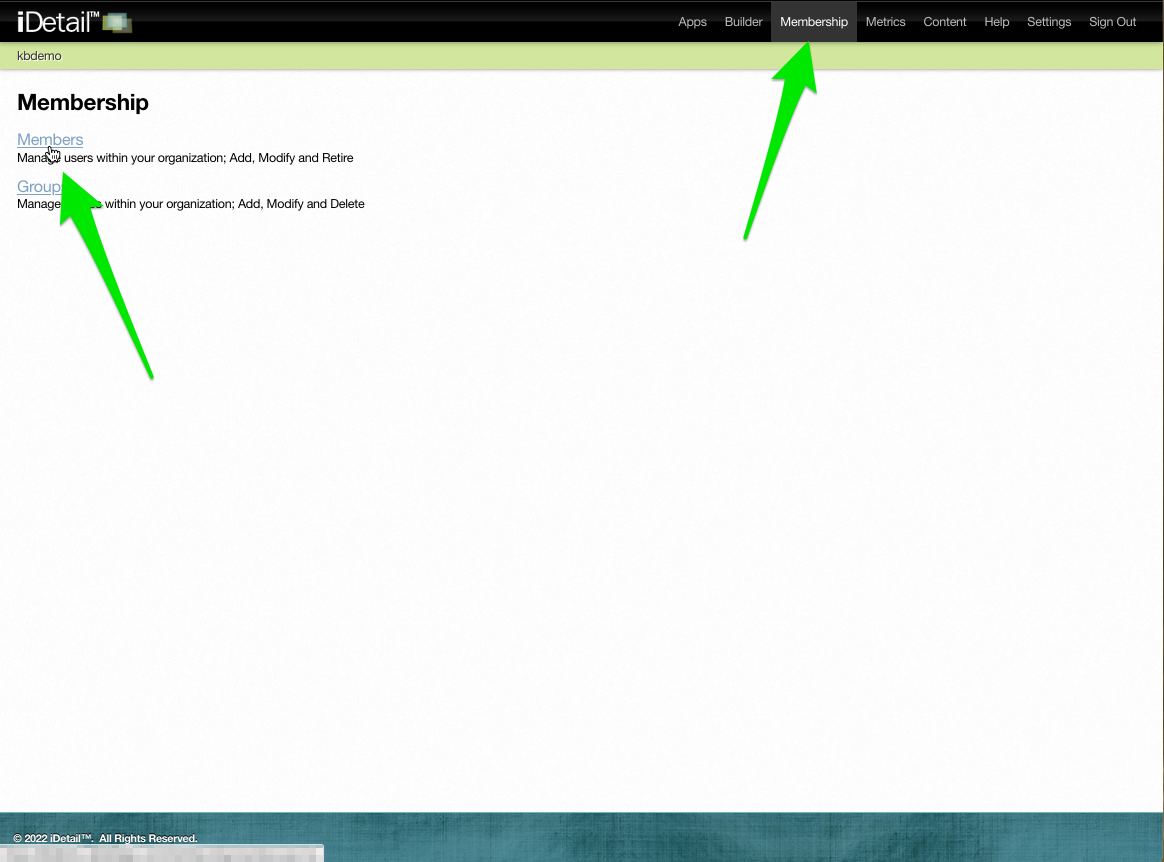
Click the Members link on the Membership menu page
001
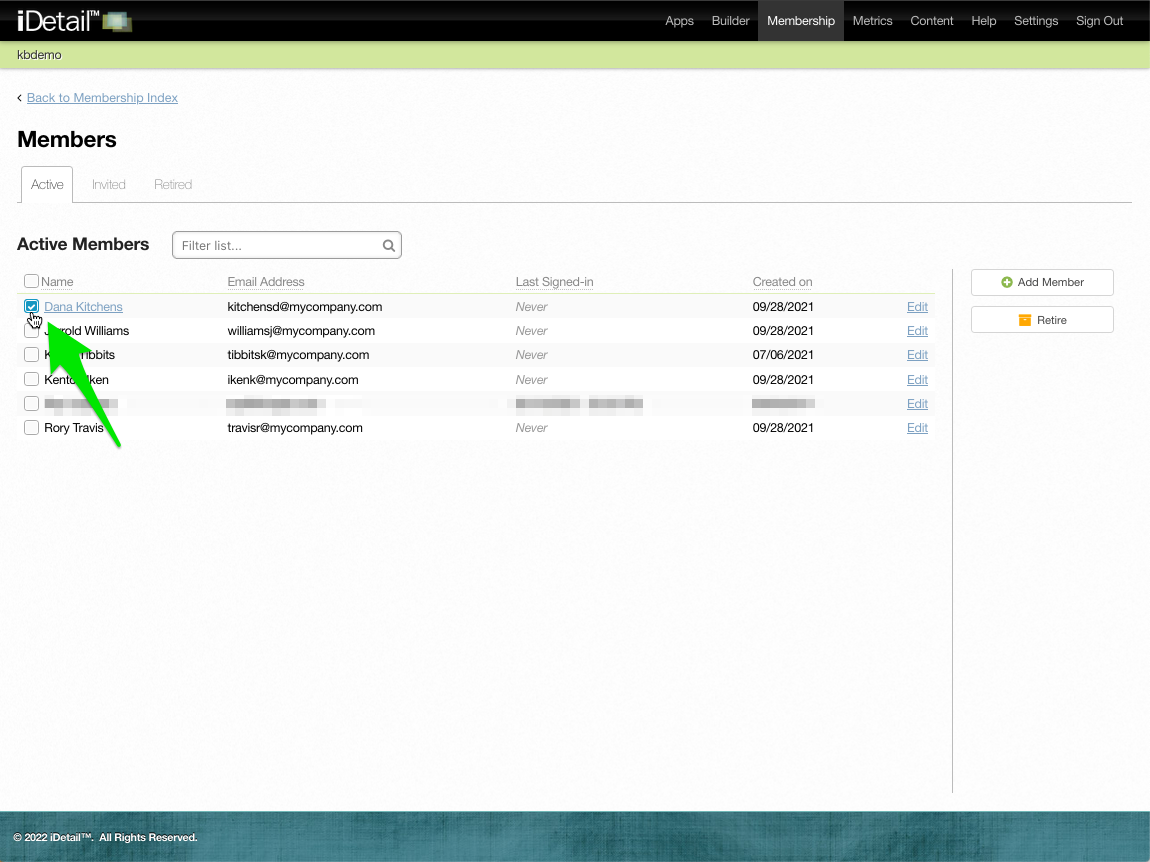
On the Active Members page, click on the Member or Members you want to retire
003
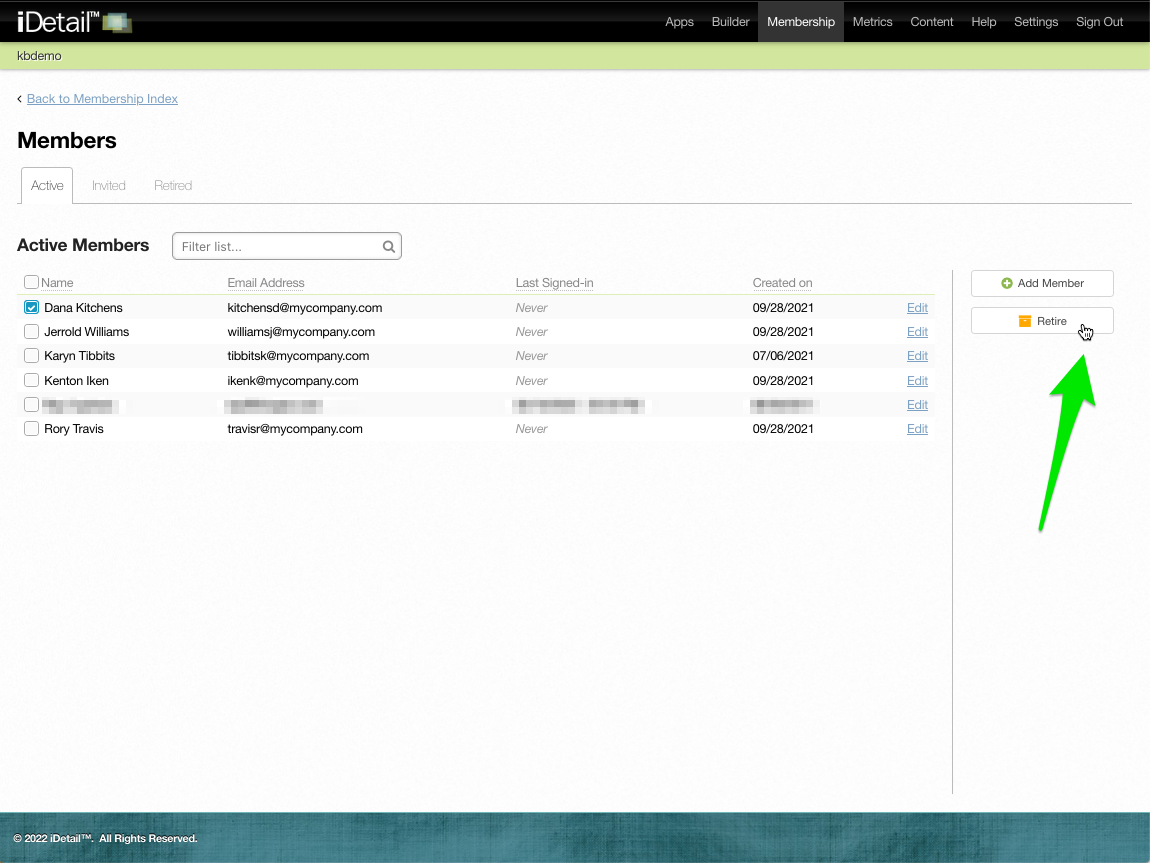
Click the Retire button
004
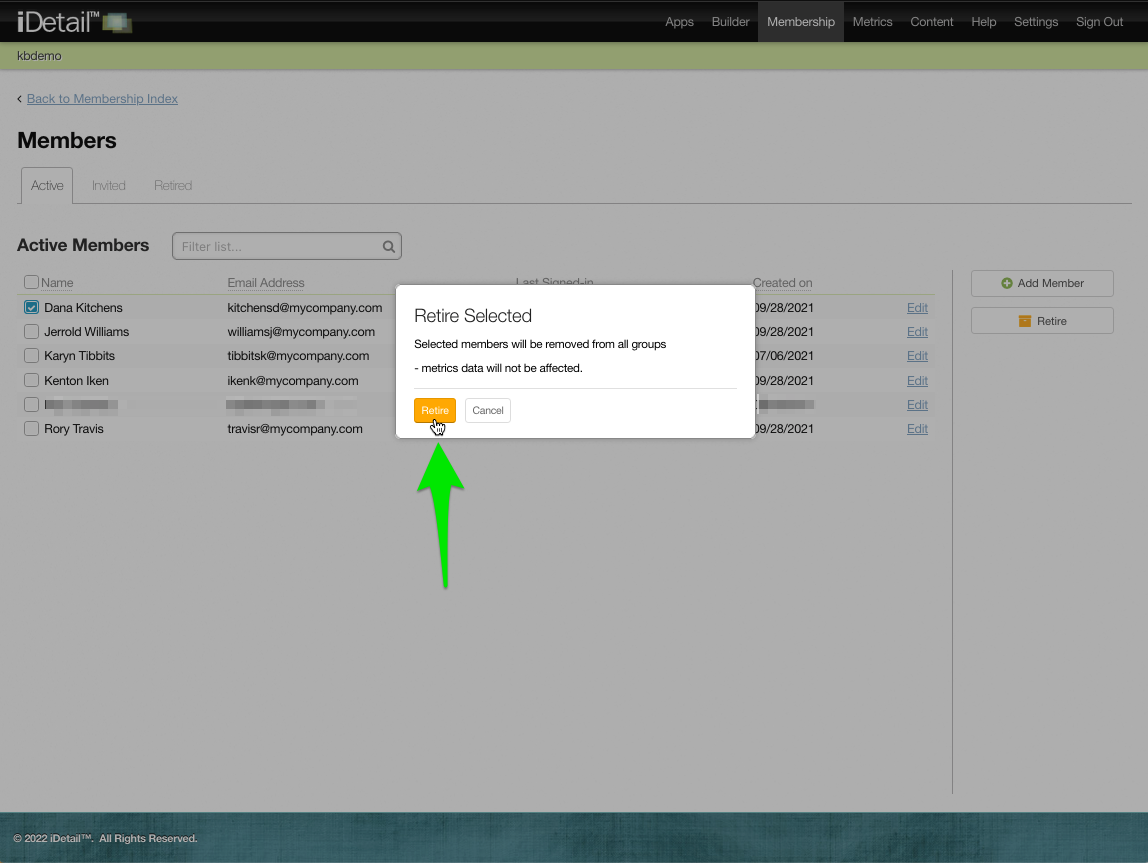
A warning dialog box appears. Retiring a Member will remove them from all Groups they have been added to, but any Metrics data the Member has generated will still be available to the organization.
Click the Retire button
006
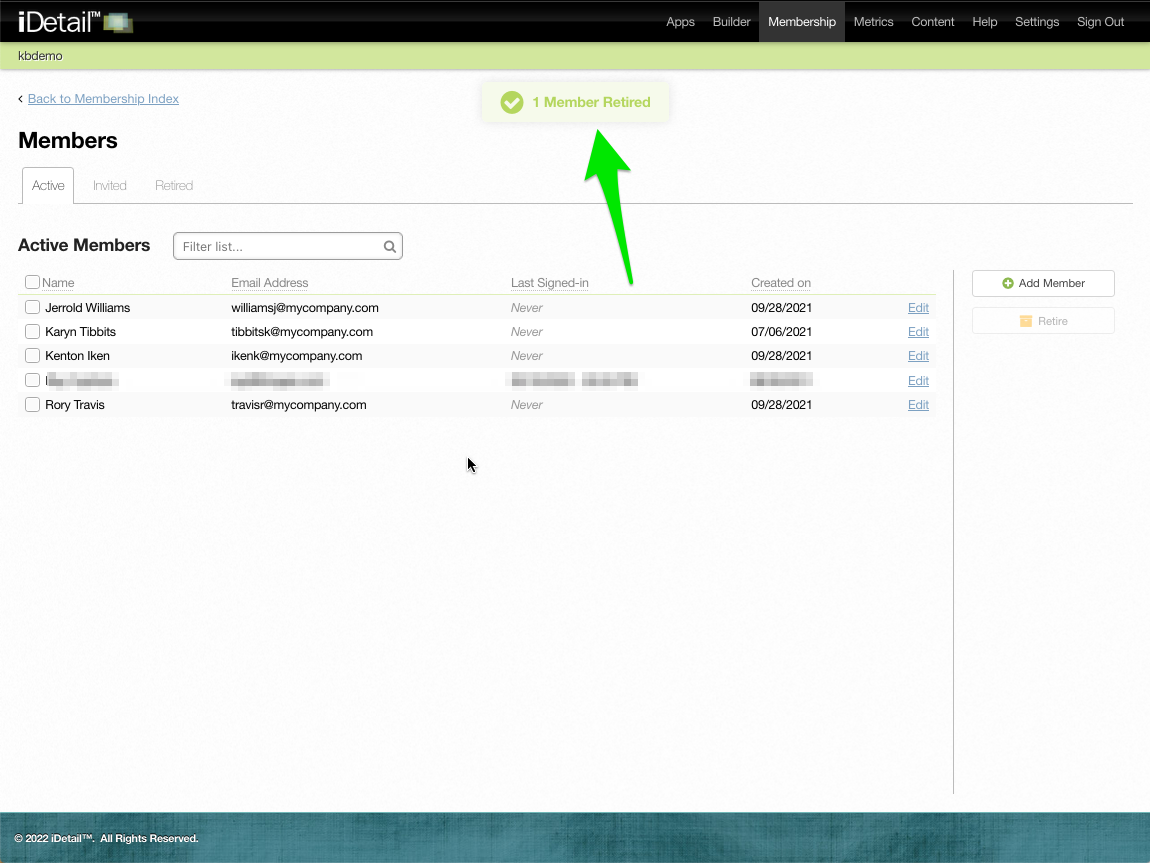
A confirmation message appears
007
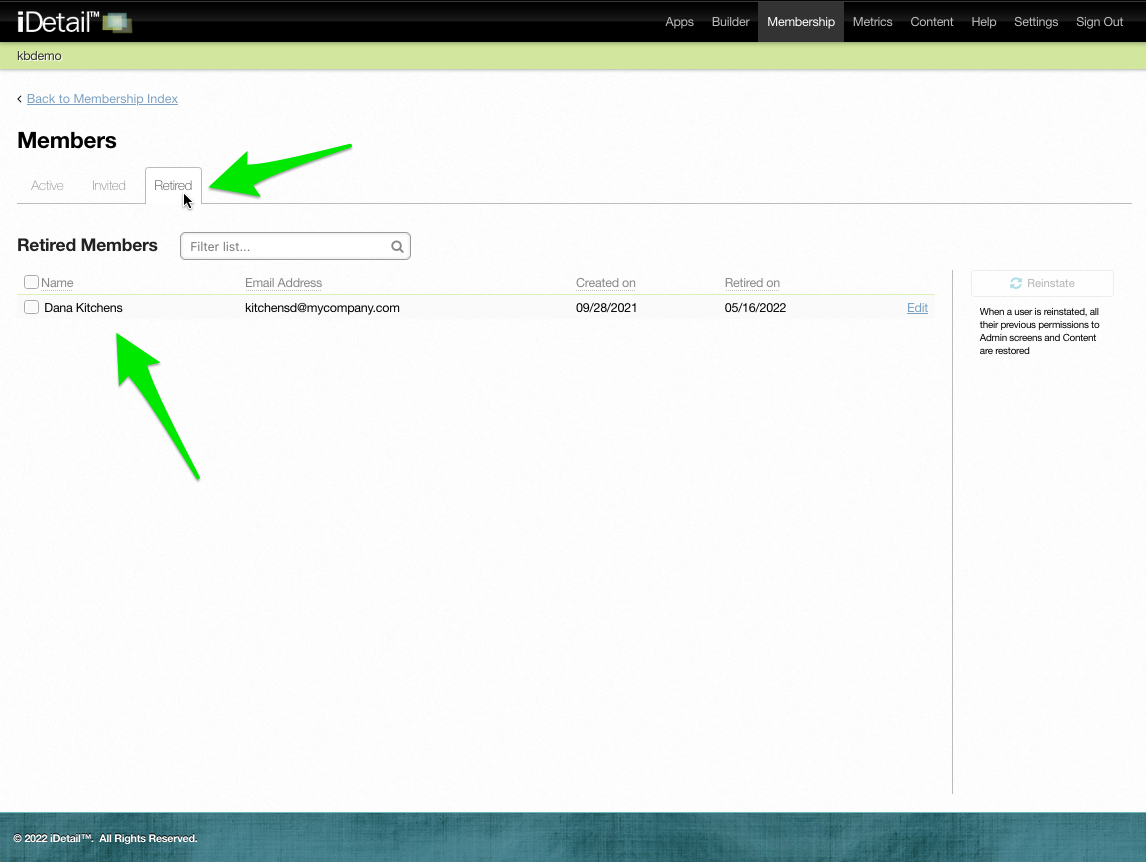
The retired Member or Members will appear on the Retired Members page
008