

After adding a member to an organization, you must assign permissions in order for the member to be able to access features and content in the account .
How to set up a member’s permissions
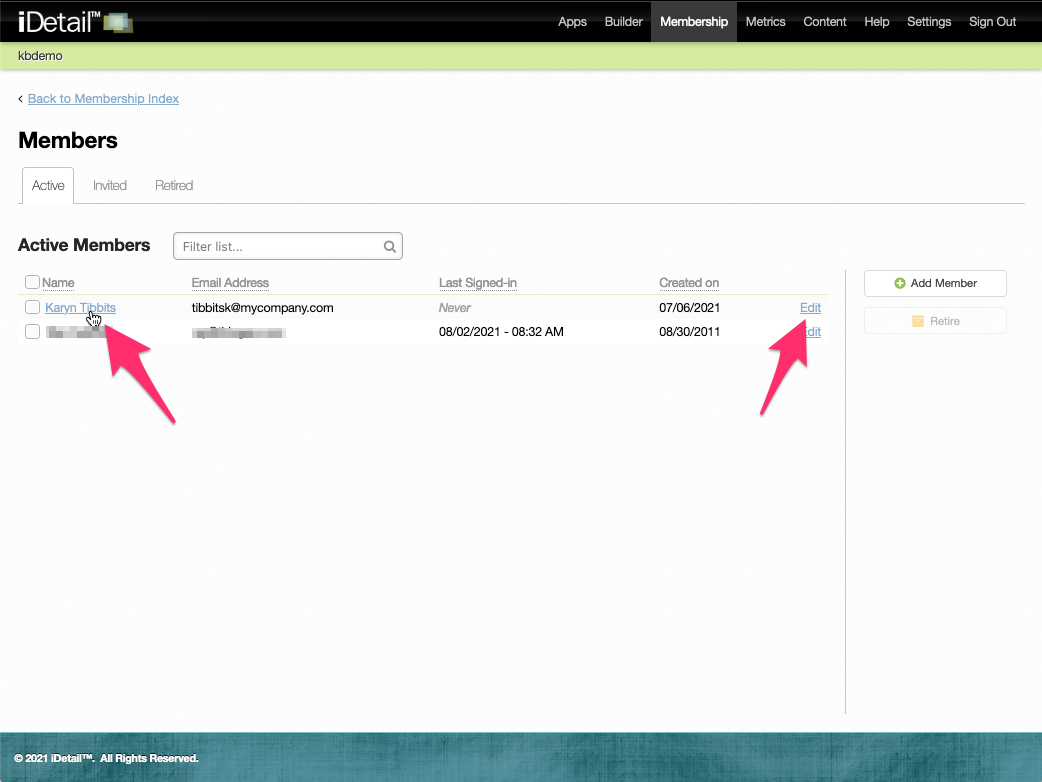
On the Members screen in the Membership section:
Click on the member’s name on the Active tab. You can also click the Edit link at the end of the row.
001
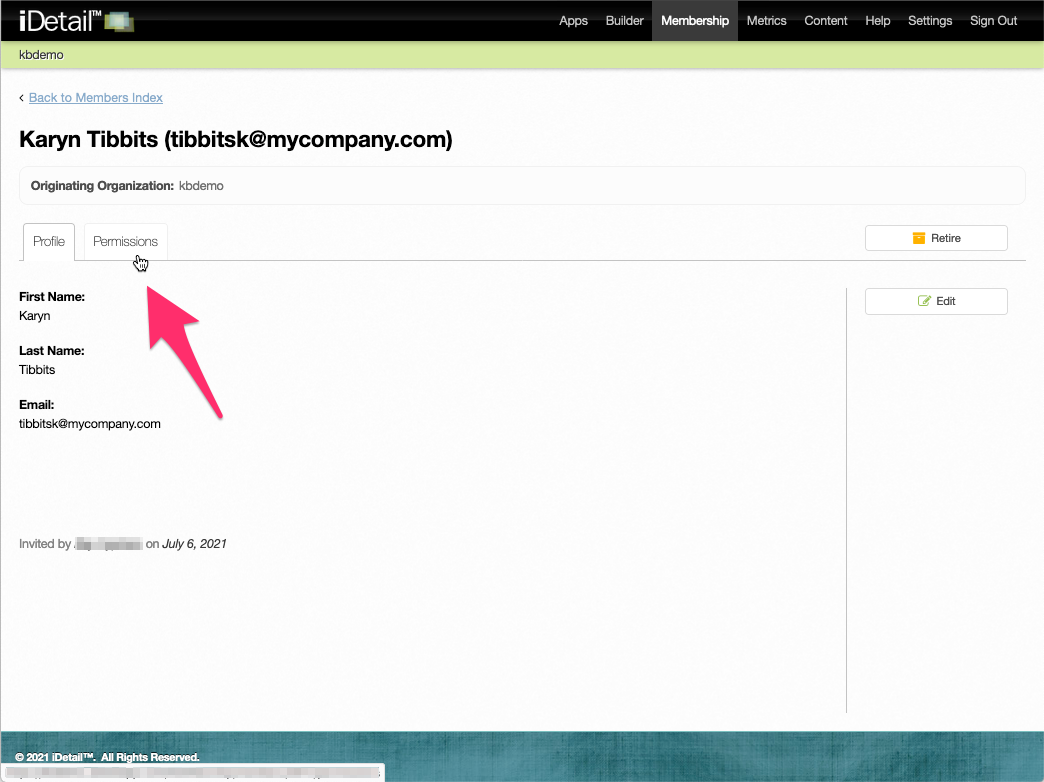
On the member’s screen click the Permissions tab
002
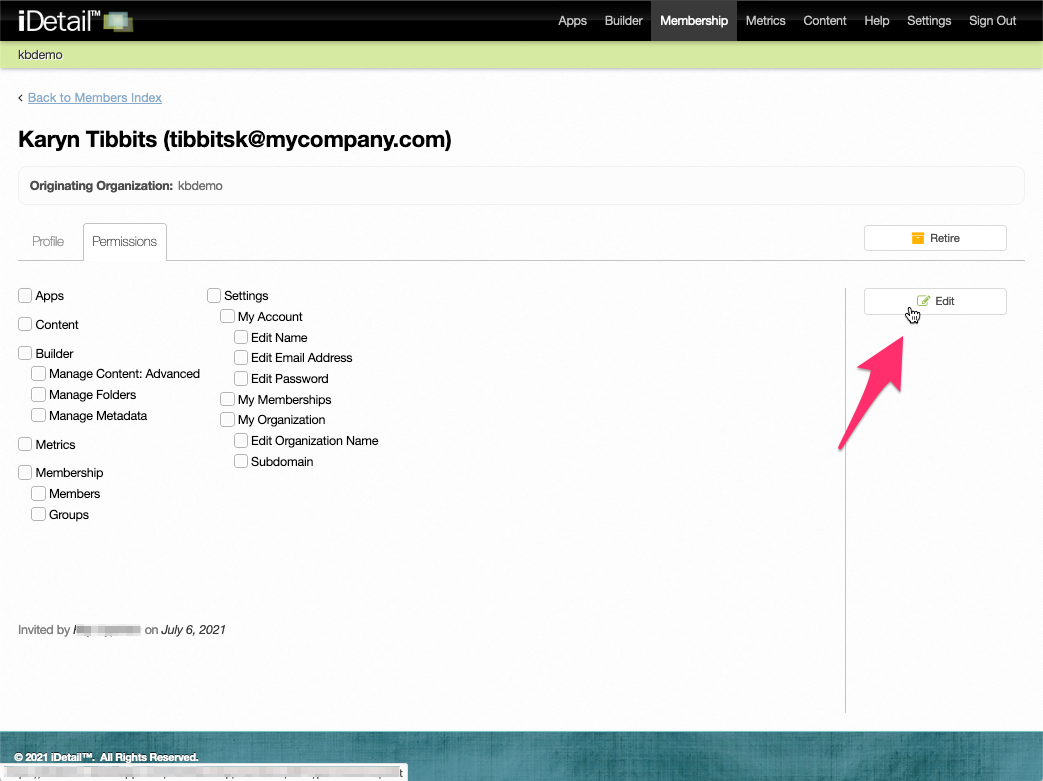
On the Permissions tab click the Edit button
003
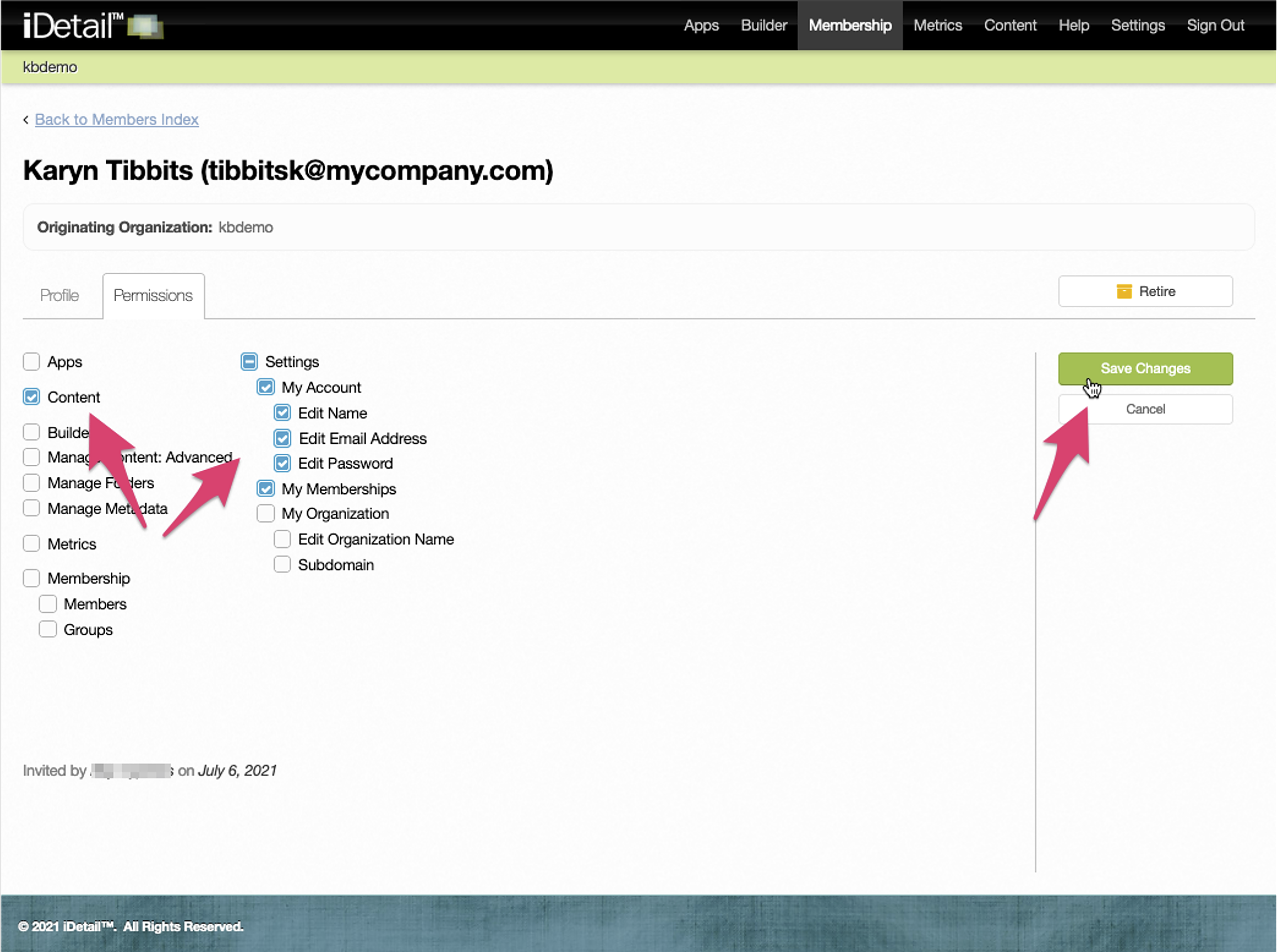
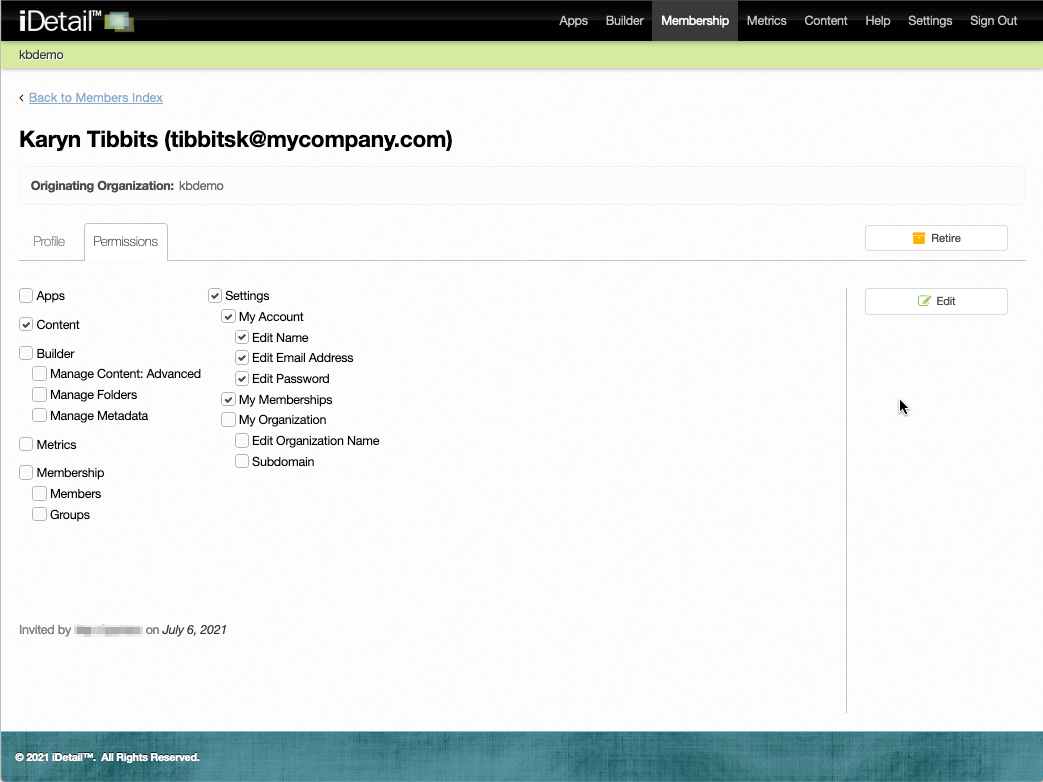
Click the features you want to enable for the member.
For most regular users you will want to activate the Content, My Account, and My Memberships settings.Click the Save Changes button to save the settings
004
The new settings will appear checked on the display screen
005