

Overview
A forgotten password can be reset in the following ways:
Forgot Password Feature
Request Password Reset by iDetail Support support@idetailapp.com
Forgot Password Feature
At this time passwords are unique to the member, and span multiple organization memberships. The member can reset their own password manually, and only the member has access to do so.
Steps to reset password
Open iDetail Web Service - https://launch.idetailapp.com
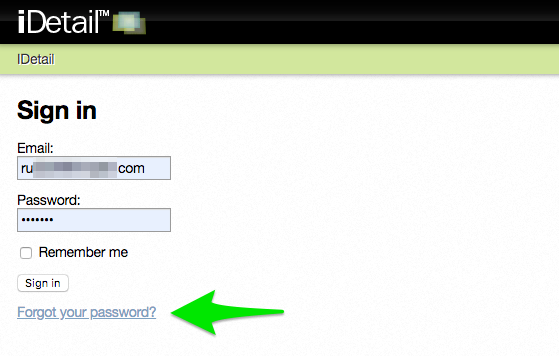
Select the Forgot your password? link on the sign in page
Enter in the email address associated with the account
Click the [Send me reset password instructions] button
Check your email for additional instructions for resetting your iDetail Web Service password
Request Password Reset by iDetail Support
If you would like iDetail Support to reset a user's password (on behalf of the member), simply email the request to support@idetailapp.com
At this time, it is not possible for the organization admin to reset or change one of their organization member’s passwords.
Steps to contact iDetail Support Team
Send an email request to support@idetailapp.com
Explain the situation and include the organization name, user name, and new password in the email
Request should be completed within the time frame of your organization’s Service Level Agreement