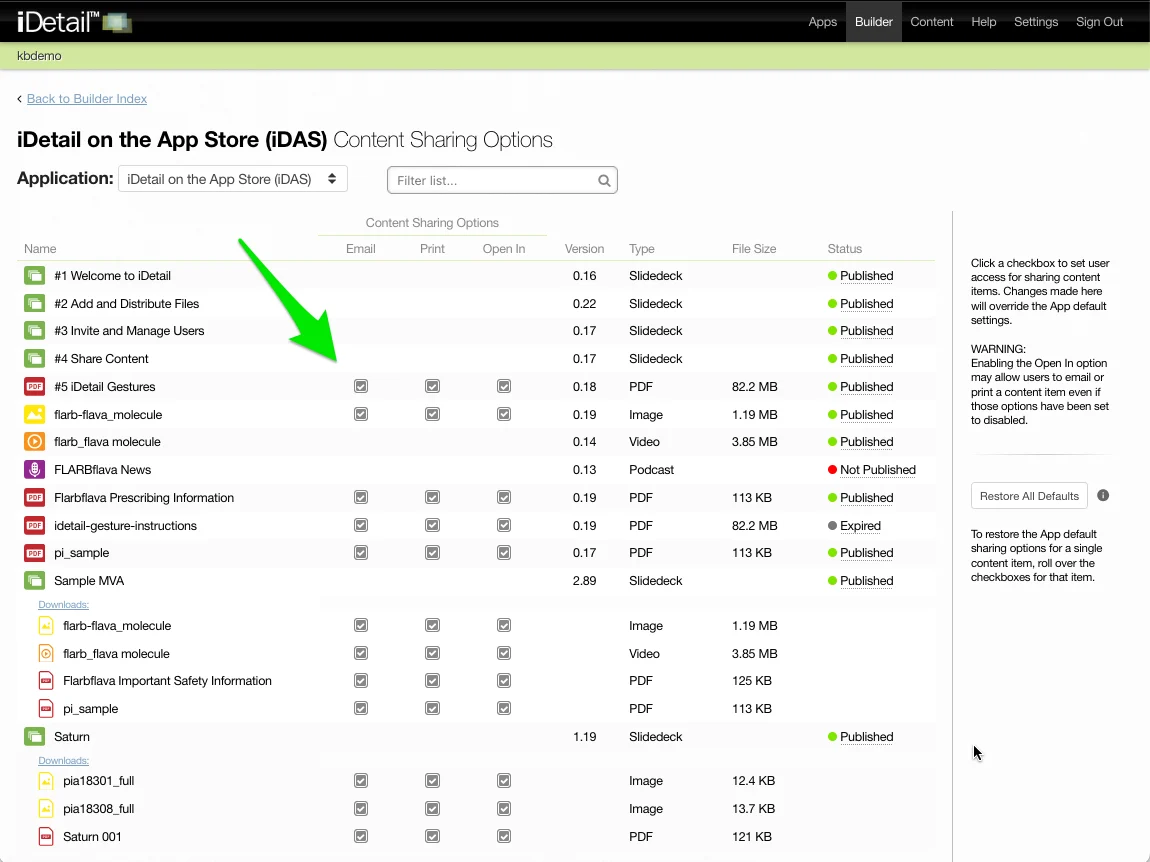
You can restore the default content sharing options settings for all content items in the app by using the Restore All Defaults dialog box.
Restore Content Sharing Options Defaults for All Content Items
Click the Restore All Defaults button
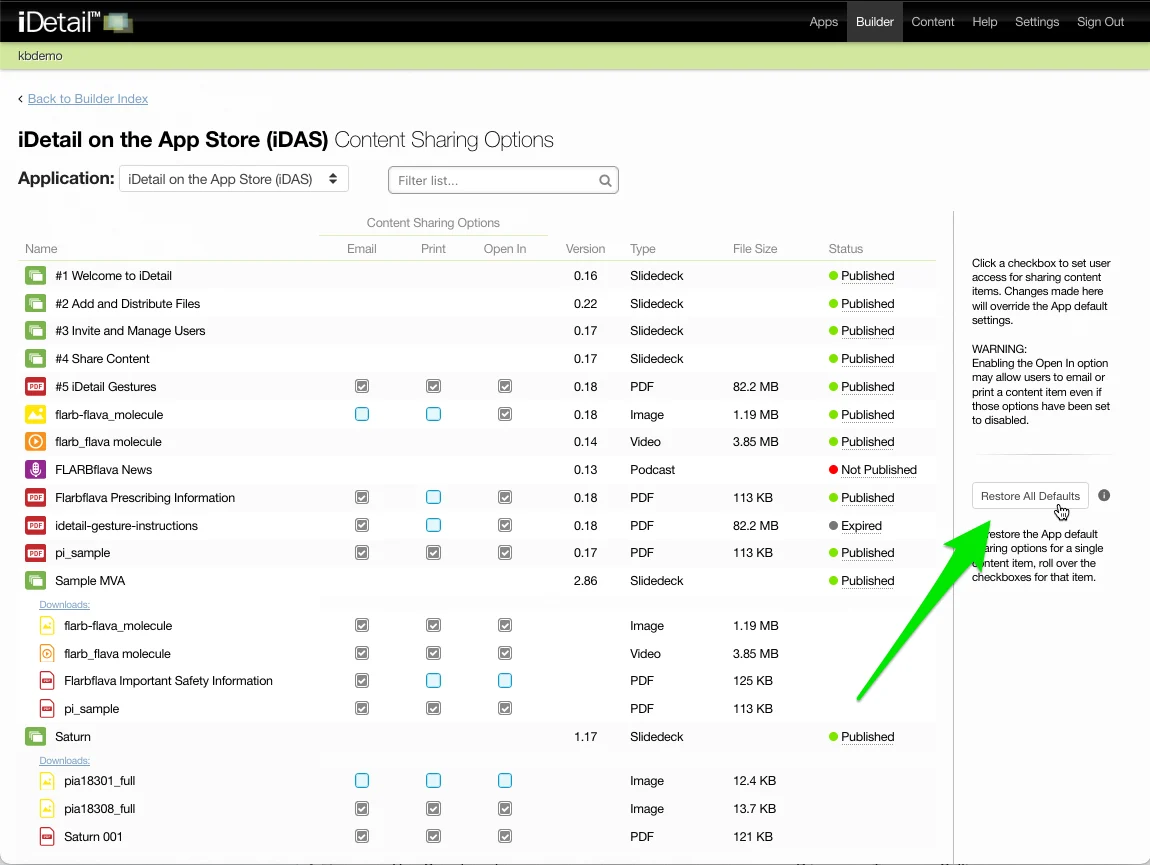
A dialog box will appear describing the effects of restoring all defaults. Any customized content sharing options for an individual content item will be lost. The restore all defaults action cannot be reversed.
To complete the action, type “RESTORE ALL DEFAULT SETTINGS” in the text field and click the Yes, restore button.
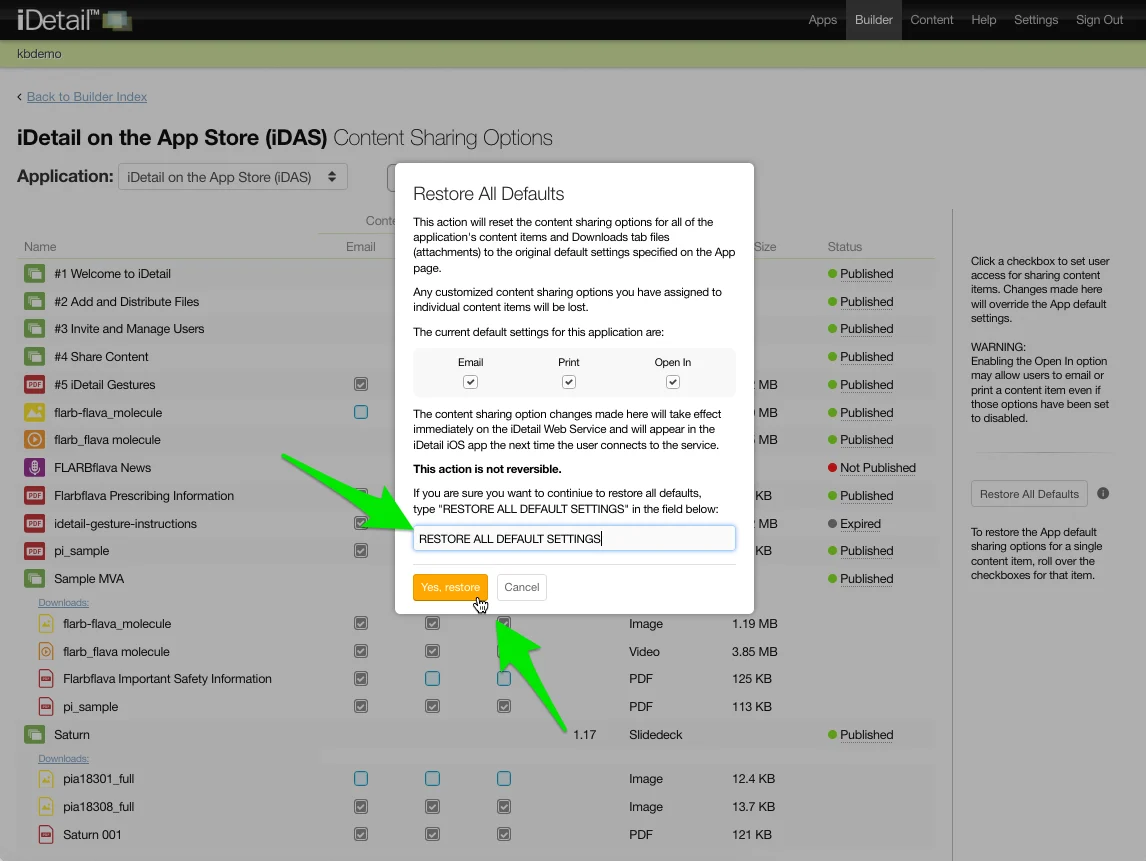
The current default settings for the app will be restored (Email, Print, and Open-In… all enabled in the example shown)