
There are three parameters for setting date ranges in the bulk metrics export.
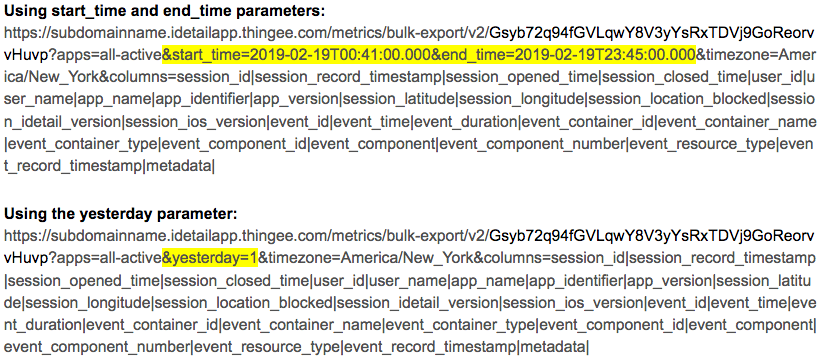
start_time sets the start time for the query in ISO8601 format (UTC)
end_time sets the end time for the query in ISO8601 format (UTC)
yesterday retrieves only the previous day's data
The format for the start_time and end_time parameters, based on RFC3339, is as follows:
YYYY-MM-DDTHH:MM:SS.FFFZ
A start_time parameter is required for the bulk metrics query to run. If no end_time parameter is specified, the query will return all data logged up to the time the query was run.
The yesterday parameter is a convenience parameter for setting the bulk metrics query to retrieve only the previous day’s data. It automatically sets the end_time parameter to the last occurence of 12:00 AM UTC, and sets the start_time parameter to exactly 24 hours earlier.
Example URLs:
Sample Data:
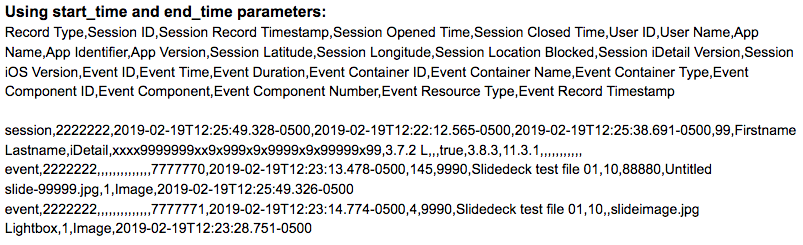
The first row of data returned is a header label, followed by data records.