To retrieve all of the historical data for your organization, you can run the bulk metrics query and set the start_time parameter to a date you know is earlier than when the first record would have been created for your organization. Do not add the end_time parameter. The bulk metrics query will search for all data from the start date and time to the present date and time.
For the example URL below, it is assumed that no organization records exist prior to the year 2000. The earliest records returned by the query are for the year 2014.
Example URL:

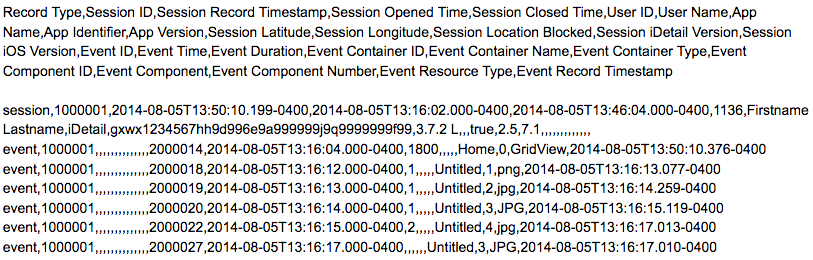
Sample data:
The first row of data returned is a header label, followed by data records.