If your organization uses more than one app, you can use the apps parameter to set up the bulk metrics query to retrieve the data for the different apps you are interested in. You can also use the apps parameter to distinguish between active and retired apps.
The following values are valid forms for the apps parameter:
apps={api_key} - uses the app api_key as the app identifier
apps={api_key1}|{api_key2}|{api_key3}|{api_key3} - uses several app api_keys concatenated with a “|” delimiter as the app identifiers
apps=all - queries for active and retired apps in the organization
apps=all-active - queries for only active apps in the organization
apps=all-retired - queries for only retired apps in the organization
In the example URL below, it is assumed that the organization is using only one app: iDetail.
Example URL:

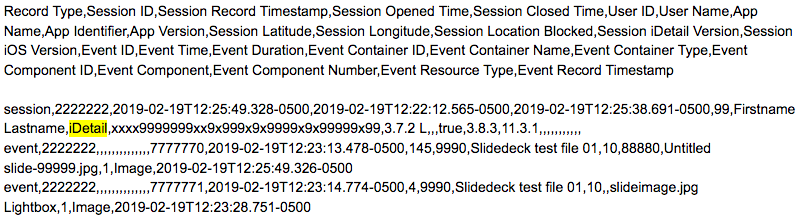
Sample Data:
The first row of data returned is a header label, followed by data records.