

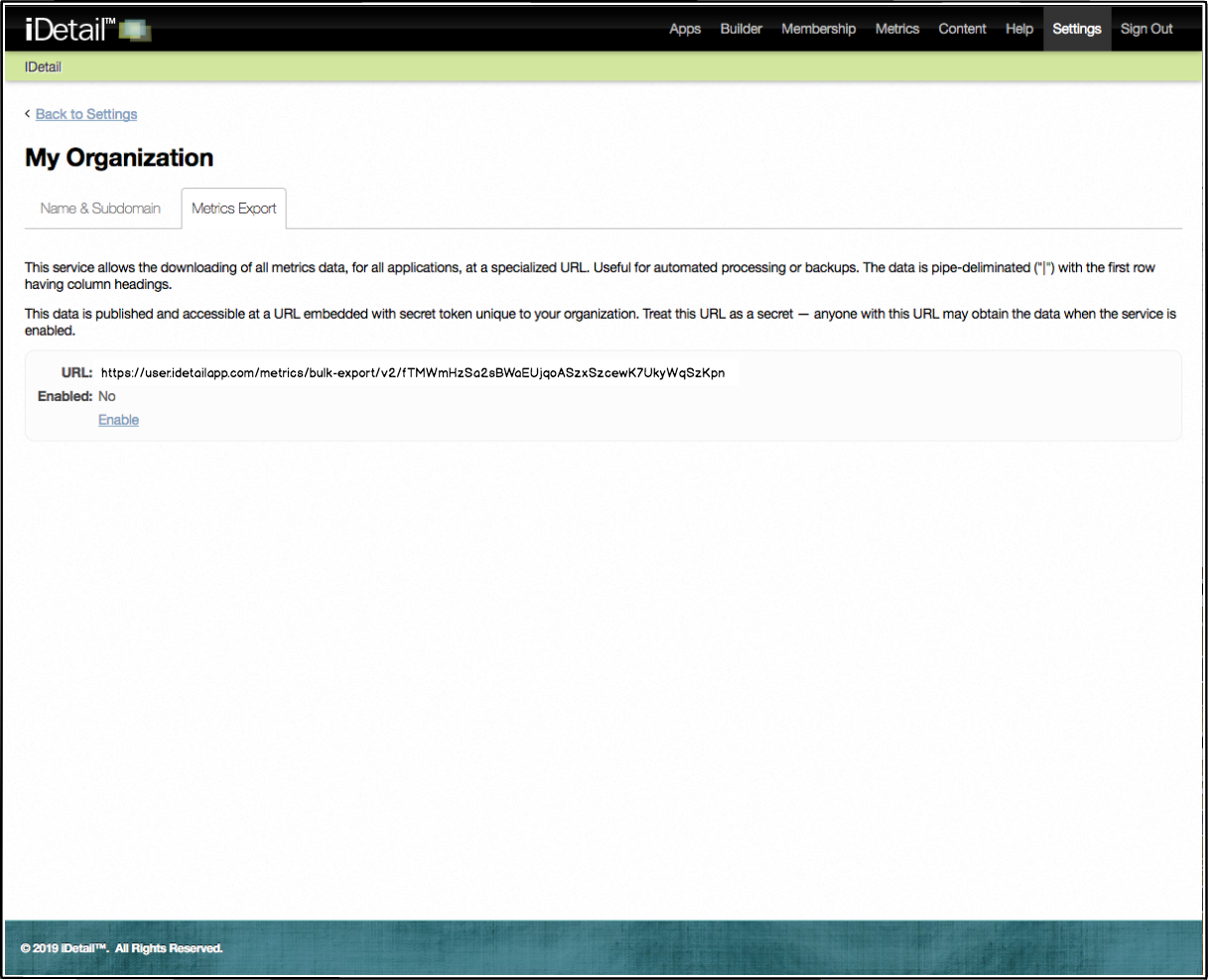
The base URL for your organization is located on the Metrics Export tab on the My Organization screen under Settings. You may edit this URL and add the parameters discussed in other iDetail Knowledge Base Bulk Metrics Export articles to create a custom metrics query for your organization.
If you do not see the Metrics Export tab when you view the My Organization screen, make sure that Metrics Export in checked under Settings in your Member Permissions.
How to set up a bulk metrics query
Open the iDetail Web Service - https://launch.idetailapp.com
Select Settings from the top navigation menu
Click on the My Organization link
Select the Metrics Export tab
Click on the Enable link
Copy the URL link text after URL:
Edit the URL and add any extra parameters you wish to include
Make sure “v2” appears after “/bulk-export/”
Paste the edited URL into your browser address bar